AI Agents for Lead Qualification: 6 Tools Compared

Author
Ravi Prajapati
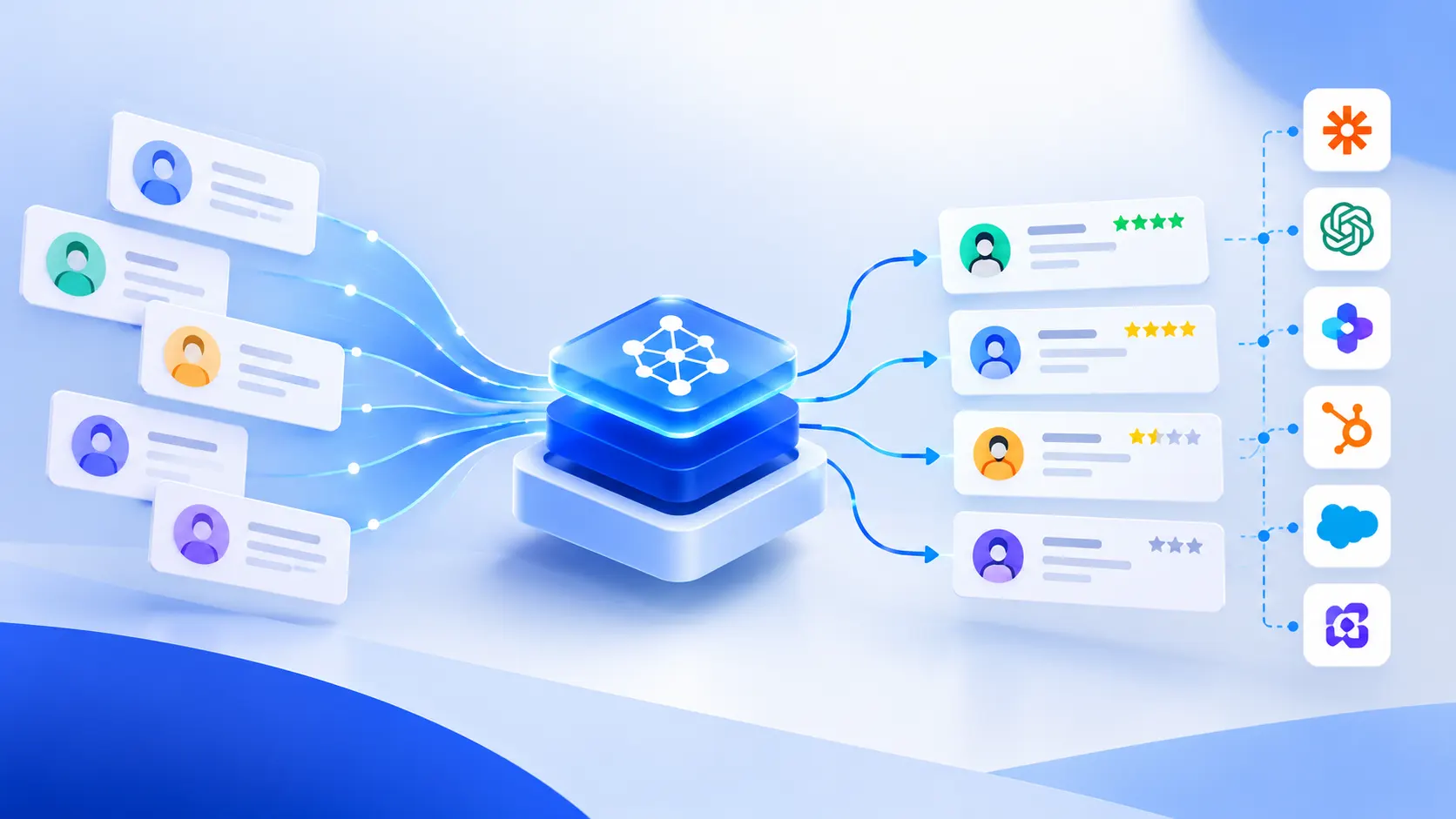
Compare AI agents for lead qualification, explore 6 tools, and learn how to automate lead research, scoring, CRM updates, and sales handoffs.
AI agents for lead qualification help sales teams research prospects, assess their fit with an ideal customer profile, identify buying signals, ask qualifying questions, and route promising opportunities to sales representatives. Unlike basic lead-scoring rules, an AI agent can combine information from multiple sources, interpret conversations, and perform approved actions in a CRM.
The best solution depends on the sales process. A team that mainly needs company research may be well served by a research assistant. A team handling hundreds of inbound enquiries may benefit from an agent that also communicates with prospects and schedules human handoffs. Companies with unusual qualification rules or legacy systems may need a custom implementation.
This guide compares leading options, explains how an AI lead qualification workflow operates, and outlines how to evaluate accuracy, integration requirements, costs, and risks before deployment.
What Are AI Agents for Lead Qualification?
AI agents for lead qualification are software systems that use artificial intelligence to evaluate potential customers against defined business criteria and, when permitted, take actions such as researching accounts, asking questions, updating CRM records, and routing qualified leads to sales representatives.
An agent may use a language model to interpret information, business tools to retrieve data, and predefined rules to control what it can do. The objective is not simply to assign a score. It is to help move a lead through a defined qualification process.
For example, a software development company receives an enquiry from a business looking for a mobile application. Its qualification agent could:
Check the prospect's company, industry, location, and role.
Compare the business with the company's ideal customer profile.
Review the enquiry to identify the required application, budget, and expected timeline.
Ask approved follow-up questions if important information is missing.
Record its findings and supporting evidence in the CRM.
Recommend a next step or route a promising opportunity to the appropriate salesperson.
The salesperson can then focus on understanding the business problem, discussing scope, estimating delivery, and building the relationship.
These actions depend on the tools, permissions, integrations, and safeguards configured for the agent. They are not guaranteed capabilities of every product marketed as an AI sales tool.
AI agents vs. chatbots vs. traditional lead scoring
The terms describe different levels of capability. They should not be treated as interchangeable.
Capability | Traditional lead scoring | AI chatbot | AI lead qualification agent |
|---|---|---|---|
Assign a lead score | Yes, using configured rules or models | Sometimes | Yes, if configured |
Interpret free-text enquiries | Limited unless separately implemented | Yes | Yes |
Research company information | Usually requires another tool | Only with suitable integrations | Can research through connected tools |
Ask follow-up questions | Usually requires a separate workflow | Yes | Can ask questions as part of a qualification process |
Update CRM records | Usually through configured automation | Possible with integration | Can perform permitted updates |
Coordinate multiple steps | Rules and workflows | Usually conversation-focused | Can coordinate a multi-step process |
Handle uncertainty | Depends on rules and models | Can respond conversationally | Should classify uncertainty and escalate when needed |
The distinction matters because a chatbot that answers questions is not automatically an agent. OpenAI's practical guide to building AI agents describes agents as systems that manage workflow execution, use tools, and operate within defined boundaries. Read OpenAI's practical guide to AI agents.
A business should therefore evaluate what a product actually does, not just whether its vendor calls it an agent.
How Does an AI Lead Qualification Agent Work?
A lead qualification agent usually follows a sequence of data collection, evaluation, interaction, and handoff. The precise workflow varies by product and the level of automation selected.
Step 1: Capture and consolidate lead information
The agent receives a lead from a website form, CRM, email conversation, campaign, or another connected source.
Useful fields include:
Company name and website
Industry and company size
Contact role and decision-making responsibilities
Product or service requested
Stated business problem
Budget and expected timeline, when voluntarily provided
Previous interactions and communication history
Source and date of the enquiry
The quality of this information directly affects qualification. Missing or outdated data can lead to incorrect decisions, even when the AI model performs well.
Step 2: Research the company and prospect
The agent retrieves information from approved sources to establish whether the prospect resembles the company's target customers.
For a B2B software development provider, relevant signals might include the prospect's industry, operating markets, business model, technology requirements, and the scale of the proposed project.
The agent should distinguish verified information from assumptions. For example, a company's website may confirm that it operates in healthcare, but it may not confirm its project budget or readiness to purchase.
Research should produce traceable evidence, not just a confident-sounding summary.
Step 3: Evaluate fit and buying intent
The agent compares the available information with qualification criteria set by the business.
A useful distinction is:
Fit: Is this the type of customer the company serves well?
Intent: Is the prospect showing evidence of interest in buying?
Readiness: Is there enough information to move the conversation forward?
Value: Does the opportunity justify the expected sales effort?
A large company can be an excellent fit but have no immediate buying intent. A smaller company may have a strong, urgent need but fall outside the provider's minimum project size. The agent should preserve these differences rather than reducing every situation to one unexplained score.
Step 4: Ask questions and personalize follow-up
When the prospect's needs are unclear, the agent can ask approved questions through supported communication channels.
For example:
What business problem are you trying to solve?
Do you need a new application or improvements to an existing system?
Which platforms or integrations are required?
When do you expect to begin the project?
Who will be involved in evaluating the solution?
Questions should follow the prospect's previous answers rather than repeating information already provided. Budget questions should be appropriate to the sales context, and the system should allow a prospect to decline to answer.
Step 5: Update the CRM and route the lead
After evaluation, the agent can create a qualification summary, update approved CRM fields, and recommend or trigger a handoff according to its permissions.
The record should explain why the lead was classified as qualified, unqualified, or uncertain. It should also identify missing information and provide a recommended next action.
Microsoft's Sales Qualification Agent documentation provides a concrete example. Dynamics 365 offers research-only and research-and-engage modes, with different levels of autonomy for research, outreach, and seller handoff. This is product-specific functionality, not a capability that should be assumed for every AI agent.
Which AI Agents and Tools Are Worth Comparing?
The most suitable tool depends on the CRM already in use, the quality of existing lead data, the required level of automation, and whether the team needs an out-of-the-box product or a custom workflow.
The following shortlist focuses on documented capabilities and distinct implementation approaches. It is not a measured performance ranking, and inclusion does not imply that every product provides the same features or that every feature is available on every plan.
1. HubSpot Breeze Prospecting Agent
Best for HubSpot-centric teams
HubSpot's prospecting agent researches accounts, identifies relevant contacts, uses buying signals, and drafts personalized outreach. Its approval settings allow teams to review messages before enabling more autonomous outreach.
Consider it when: Your sales process already runs in HubSpot and you want prospect research and outreach within that environment.
Check before buying: Subscription eligibility, HubSpot Credits consumption, the cost of outreach recommendations, and the available integrations.
2. Microsoft Dynamics 365 Sales Qualification Agent
Best for Dynamics 365 environments
Microsoft's agent offers research-only and research-and-engage modes. Depending on the configuration, it can research leads, assess customer-profile fit, prepare outreach, engage prospects, and hand promising leads to sellers.
Consider it when: Your organization uses Dynamics 365 Sales and needs lead qualification within its existing CRM.
Check before buying: Copilot Studio requirements, data policies, connector access, capacity usage, and the administrative work needed to configure the agent.
3. Clay
Best for research and enrichment workflows
Clay supports data enrichment, web research, structured AI outputs, and personalized content generation. Its AI capabilities can help teams assemble the context needed to assess and prioritize prospects.
Consider it when: Your team needs to combine company research and enrichment sources into a repeatable prospecting workflow.
Check before buying: Data-provider costs, coverage for your target markets, CRM synchronization, and how much workflow configuration is required.
Clay is primarily useful as a research and go-to-market workflow platform; do not assume every workflow is a fully autonomous qualification agent.
4. Salesforce Agentforce Qualification
Best for Salesforce sales teams
Salesforce documents an agent-driven qualification capability that evaluates leads against configured criteria and produces a rating, rationale, conversation summary, and suggested next action. Its documented requirements include specific Salesforce editions and Einstein for Sales eligibility.
Consider it when: Salesforce is your central CRM and you want qualification results attached to existing lead records.
Check before buying: Edition eligibility, required fields, qualification channels, and how lead assignment behaves under your configuration.
5. OpenAI API and agent development tools
Best for custom qualification workflows
Development teams can build an agent around a defined qualification process, approved data sources, CRM APIs, business rules, and human-review steps. OpenAI provides guidance on agent design, tool use, guardrails, and human intervention.
Consider it when: The business has a specialized sales process, custom CRM, proprietary qualification rules, or integration requirements that off-the-shelf tools do not adequately address.
Check before building: Engineering effort, model and infrastructure usage, monitoring, evaluation, security, ongoing maintenance, and ownership of the workflow.
AI lead qualification tools: comparison at a glance
Tool | Primary strength | Typical fit |
|---|---|---|
HubSpot Breeze | Prospect research and outreach | HubSpot-based sales teams |
Dynamics 365 Sales Qualification Agent | CRM-integrated research and qualification | Microsoft sales environments |
Clay | Research, enrichment, and workflow customization | Data-driven outbound teams |
Salesforce Agentforce | Qualification summaries and ratings in CRM | Salesforce-based organizations |
Custom AI agent | Tailored business rules and integrations | Specialized or complex sales processes |
These tools overlap, but they are not direct substitutes in every implementation. A CRM-native agent may reduce integration work, while a research platform may offer greater flexibility in assembling prospect information. A custom agent provides more control but transfers more responsibility for development and operations to the business.
How to Choose the Right AI Lead Qualification Tool
Start with the problem you need to solve rather than the number of AI features a vendor advertises.
1. Match the tool to the existing CRM
If your team already uses HubSpot, Salesforce, or Dynamics 365, first assess the native capabilities available under your existing subscription. A separate platform may still be appropriate, but it should solve a documented gap.
Evaluate whether the agent can read the necessary lead and account fields, preserve existing records, write qualification results back to the CRM, and trigger the correct assignment rules.
2. Decide how much autonomy you actually need
Not every business needs an agent that sends emails or makes decisions without approval.
Automation level | What the agent does | Suitable starting point |
|---|---|---|
Research assistance | Gathers information and prepares a summary | Teams with complex or sensitive sales |
Assisted qualification | Evaluates fit and recommends the next action | Teams wanting human control over decisions |
Controlled engagement | Asks approved questions and prepares or sends outreach | Teams with repeatable qualification scripts |
Higher autonomy | Runs approved qualification workflows and routes suitable leads | Teams with reliable data, clear policies, and mature monitoring |
A sensible implementation starts with research or assisted qualification, measures its accuracy, and expands permissions only when the results justify it. Microsoft similarly recommends testing the agent on a smaller scale before production deployment.
3. Test the quality of qualification, not just the quality of writing
A personalized email may sound excellent and still target the wrong prospect.
Test the agent against a sample of historical leads whose outcomes have been reviewed by experienced salespeople. Include strong leads, poor-fit leads, ambiguous cases, incomplete records, and prospects that initially looked promising but never progressed.
Ask:
Does it correctly identify the company's industry and requirements?
Does it distinguish evidence from assumptions?
Does it recognize missing information?
Does it avoid qualifying a lead solely because the company is large?
Does it provide a reason for each recommendation?
Can a salesperson correct its decision and explain why?
Use the results to refine qualification criteria before expanding deployment.
4. Evaluate the full cost of ownership
Compare more than the subscription price. Include usage-based AI charges, contact-data enrichment, CRM licenses, integration work, implementation, monitoring, and maintenance.
Also consider the cost of mistakes. A low-cost tool that repeatedly misroutes valuable leads can be more expensive than a higher-priced solution with better controls and a reliable workflow.
A Practical AI Lead Qualification Workflow for B2B Software Companies
Consider a hypothetical custom software development company receiving enquiries from businesses in healthcare, logistics, retail, and financial services. Its sales team needs to identify suitable projects without manually researching every enquiry.
The following workflow illustrates how an agent could support the process.
Stage 1: Define the ideal customer profile
Document the characteristics of customers the company can serve successfully.
For example, the business may prioritize companies that need custom software, have a clearly defined business problem, require capabilities the delivery team can provide, and have a realistic project scope.
Define disqualifying conditions as well. An enquiry for a service the company does not provide should not receive a high score just because it comes from a large enterprise.
Stage 2: Create transparent qualification criteria
Use a combination of fit, intent, readiness, and completeness.
An illustrative scoring model might look like this:
Criterion | Illustrative weight | Example evidence |
|---|---|---|
Service and technical fit | 35% | Required capabilities match delivery expertise |
Business need and buying intent | 30% | Clear problem, active enquiry, or request for a proposal |
Project readiness | 20% | Decision process and expected timeline are reasonably clear |
Commercial suitability | 15% | Scope and commercial expectations appear viable |
These weights are an example, not an industry benchmark. The company should validate and adjust them using its own historical sales outcomes.
A weighted score should not override mandatory rules. For instance, a prospect requesting an unsupported service may require manual review or disqualification regardless of the total score.
Stage 3: Research the lead and record evidence
The agent collects approved information from the enquiry, CRM, and relevant external sources. It produces a concise summary of the prospect, the problem to solve, the apparent fit, and any unanswered questions.
Each important finding should include its source or be clearly marked as an inference.
Stage 4: Ask only the questions that matter
If the lead's requirements are incomplete, the agent asks relevant follow-up questions. It should not send a long questionnaire when the prospect has already provided most of the answers.
For a custom software project, the missing information might concern platform requirements, expected users, integrations, project timing, or the business outcome the prospect needs.
Stage 5: Route the lead to the right person
A qualified healthcare software enquiry might go to a salesperson familiar with healthcare systems, while a logistics platform enquiry could be assigned to a representative who understands fleet and transportation workflows.
An uncertain lead should enter a review queue rather than being automatically rejected. A prospect who is not ready to buy may be suitable for future nurturing.
Stage 6: Learn from sales outcomes
Compare the agent's decisions with what happens next. Did the lead respond? Was a discovery meeting held? Did the opportunity progress? Did the sales team consider the qualification useful?
Use this feedback to refine the rules and prompts. Do not assume that a model's initial performance will remain stable as lead sources, buyer behavior, or the company's target market changes.
How Much Does an AI Lead Qualification Agent Cost?
There is no single reliable price for AI lead qualification because the total depends on the product, subscription, usage model, data requirements, and degree of customization.
Three cost categories are useful when planning a purchase.
Cost category | What to include |
|---|---|
Software and usage | Licenses, AI credits, API consumption, contact data, and enrichment |
Implementation | Configuration, CRM integration, workflow design, testing, and training |
Ongoing operations | Monitoring, troubleshooting, evaluation, data maintenance, and improvements |
Off-the-shelf tools
Existing CRM features can reduce development effort when the team's needs match the available functionality. However, access may depend on the subscription, and usage charges may apply.
For example, HubSpot documents credit consumption and per-recommendation pricing for its prospecting agent. Verify the current commercial terms on the official product pages before budgeting.
Custom AI agents
A custom agent may require additional investment in integration, application development, data access, permissions, monitoring, and evaluation. The cost is driven by the actual workflow, not simply the number of screens or prompts.
Before requesting a proposal, document the CRM, lead sources, expected volume, qualification rules, supported communication channels, and actions the agent must perform. This produces a more useful estimate than asking for the price of an unspecified AI agent.
Risks and Limitations of AI Lead Qualification
AI can reduce repetitive work, but it does not remove the need for good data, clear rules, and sales judgment.
Incorrect or outdated information
An agent may encounter incomplete records or interpret an ambiguous source incorrectly. Require evidence for important findings, validate critical fields, and provide a path for human correction.
Poor qualification rules
If the ideal customer profile is vague, the agent can consistently prioritize the wrong leads. Qualification criteria should reflect actual sales outcomes and be reviewed when the target market or service offering changes.
Unwanted or inaccurate outreach
AI-generated messages can misrepresent a prospect's business, repeat questions, or sound personal without a genuine reason for contacting someone. Review the quality of messages before enabling automatic sending.
Outbound communication must also comply with applicable privacy, data-protection, and marketing laws. Rules differ by jurisdiction, so the company should assess the requirements that apply to its audience and channels.
Privacy and access control
Lead records may contain personal information, confidential communications, and commercially sensitive details. Restrict the agent to the data and actions required for its role, and review retention, access, logging, and vendor data-handling arrangements.
The NIST AI Risk Management Framework and its Generative AI Profile provide useful guidance for identifying and managing AI-related risks.
Over-automation
Some qualification decisions require judgment. A strategic enterprise opportunity, a sensitive healthcare enquiry, or a prospect with unusual contractual requirements may need a person involved early.
Set explicit limits on what the agent can decide, communicate, or change. Require approval for actions with significant commercial or legal consequences, and provide an escalation route when confidence is low or information conflicts.
How to Measure Whether the Agent Is Working
A successful implementation should improve sales operations, not merely produce more AI-generated activity.
Establish a baseline before deployment and compare results across similar lead sources and customer segments.
Metric | What it tells you |
|---|---|
Time to first meaningful response | Whether the workflow reduces delays |
Qualification accuracy | Whether classifications agree with reviewed sales outcomes |
Qualified-lead acceptance rate | Whether sales representatives find the handoffs useful |
Meeting conversion rate | Whether qualified leads progress to conversations |
Opportunity conversion rate | Whether opportunities advance through the pipeline |
CRM data completeness | Whether important lead fields are consistently populated |
Cost per qualified opportunity | Whether the system is economically worthwhile |
Incorrect routing and escalation rate | Whether the workflow creates avoidable work or misses important leads |
Do not judge the system by response volume alone. A higher number of messages or qualified leads does not automatically mean more revenue.
Where practical, compare performance with a similar group of leads processed using the existing workflow. Account for differences in lead source, sales representative, project size, and customer segment before attributing improvements to the agent.
Frequently Asked Questions
1. What is the best AI agent for lead qualification?
The best option depends on your existing CRM and workflow. HubSpot Breeze suits teams already using HubSpot, Dynamics 365 Sales Qualification Agent fits Microsoft environments, and Salesforce Agentforce is relevant to Salesforce users. Clay supports research and enrichment workflows, while a custom agent offers greater control over specialized requirements.
2. Can AI agents qualify leads automatically without human involvement?
Yes, some products support autonomous research, prospect engagement, and lead handoff when configured appropriately. However, autonomy should be limited to approved actions. Human review remains important when information is incomplete, a decision has significant commercial consequences, or the agent encounters an unfamiliar situation.
3. What is the difference between AI lead scoring and AI lead qualification?
AI lead scoring assigns a score or category based on available signals and configured criteria. AI lead qualification can include scoring but may also involve researching the prospect, interpreting conversations, asking follow-up questions, updating CRM records, and recommending or initiating the next step.
4. Can an AI qualification agent integrate with an existing CRM?
Yes, many CRM-native agents and third-party platforms offer integration options. The exact capabilities depend on the product, subscription, API access, and configuration. Verify that the integration can retrieve required fields, write qualification results, preserve existing data, and assign leads correctly.
5. Is it better to buy an AI lead qualification tool or build one?
Buying is usually the simpler starting point when an existing product supports the required workflow. Building becomes more attractive when the business has specialized qualification rules, custom systems, or integration needs that standard products cannot satisfy. Compare the total cost of ownership, implementation effort, flexibility, and ongoing maintenance before deciding.
6. How accurate are AI agents at qualifying sales leads?
Accuracy varies with the model, data quality, qualification criteria, and workflow design. There is no universal accuracy figure that applies to all agents. Evaluate the chosen solution against reviewed historical leads, measure false positives and false negatives, and test its handling of missing or conflicting information.
7. Can AI lead qualification agents work for small businesses?
Yes. A small business can start with basic research assistance, lead summaries, and CRM updates rather than deploying a fully autonomous agent. The most important consideration is whether the time saved and opportunities improved justify the software, usage, and implementation costs.
8. What information does an AI agent need to qualify a lead?
It typically needs a clear ideal customer profile, service or product information, qualification criteria, relevant lead records, and access to approved research sources. Additional information such as project requirements, purchase intent, budget, or timeline can improve qualification when available, but the agent should identify missing data instead of inventing answers.
Conclusion: Focus on Better Sales Decisions, Not Just More Automation
AI agents for lead qualification can help sales teams reduce manual research, identify relevant prospects, organize qualification information, and route opportunities more consistently. The strongest implementation is not necessarily the one with the most autonomy. It is the one that fits the existing sales process, produces evidence-backed decisions, integrates with the CRM, and improves measurable business outcomes.
Start with a clearly defined qualification problem, compare a small number of suitable tools, and test them against real sales records. Expand automation only after the business has evidence that the workflow is reliable and commercially useful.
Comments (0)
No comments yet. Be the first to share your thoughts!