Best AI Tools for PDF Data Extraction in 2026: 8 Tools Compared

Author
Ravi Prajapati
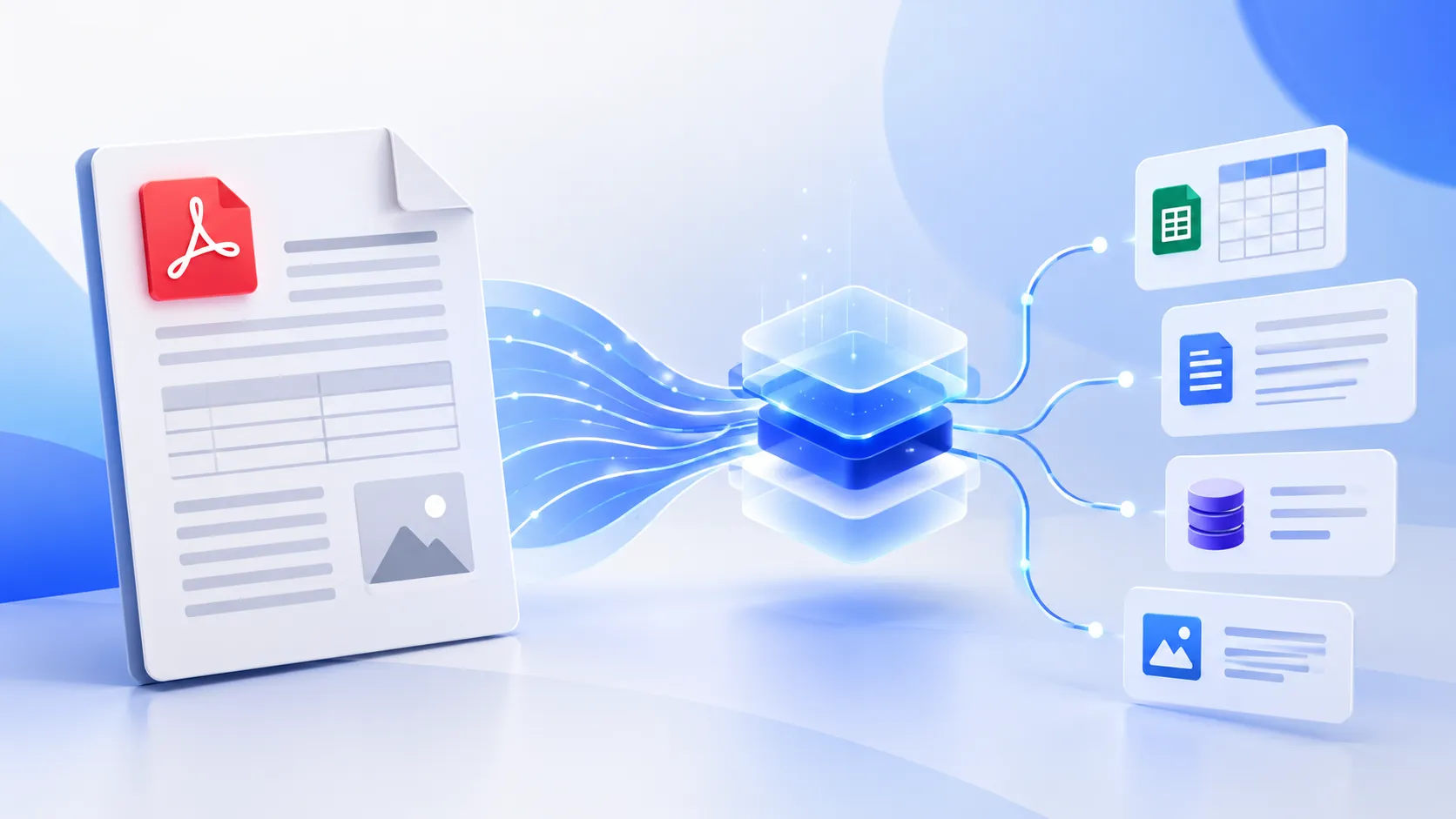
Compare 8 best AI tools for PDF data extraction in 2026. Explore features, OCR, table extraction, pricing factors, use cases, and selection tips.
Extracting data from PDFs can mean several different things. You might want to copy text from a scanned document, turn financial tables into Excel, extract invoice fields into an accounting system, or convert thousands of documents into structured data for an AI application.
The best AI tool for PDF data extraction depends on which of these tasks you need to perform, how consistently your documents are formatted, and whether you need a simple export or an automated business workflow.
For quick PDF analysis, Adobe Acrobat AI Assistant is a practical starting point. Developers building document-processing applications should evaluate Google Cloud Document AI, Microsoft Azure Document Intelligence, and Amazon Textract. Businesses processing invoices, financial statements, and other recurring documents may prefer specialized platforms such as Docsumo, Nanonets, or ABBYY Vantage. Developers seeking an open-source option can evaluate Docling.
These tools do not all solve the same problem. Some help people understand documents, others extract structured fields through APIs, and some manage the complete process from document intake to validation and delivery.
This guide compares eight tools by their capabilities, suitable use cases, limitations, and selection criteria. It also explains how to evaluate extraction quality before committing to a tool.
Quick Comparison: Best AI Tools for PDF Data Extraction
Tool | Best for | Main capabilities | Technical level |
|---|---|---|---|
Adobe Acrobat AI Assistant | Reading and querying PDFs | Summaries, document questions, source-linked answers | Beginner |
Google Cloud Document AI | Cloud document processing | OCR, layout, forms, structured extraction | Developer |
Microsoft Azure Document Intelligence | Business document extraction | Text, tables, key-value pairs, custom models | Developer |
Amazon Textract | AWS-based document workflows | Text, tables, forms, queries, signatures | Developer |
Docsumo | Financial and operational documents | Field extraction, tables, validation, review workflows | Business/technical |
Nanonets | End-to-end data automation | Extraction, exception review, system integrations | Business/technical |
ABBYY Vantage | Enterprise document processing | Prebuilt and trainable document-processing skills | Enterprise |
Docling | Local and open-source document parsing | Layout, reading order, tables, OCR workflows | Developer |
The comparison describes each product's general positioning, not a benchmark ranking. Actual accuracy, processing time, and cost depend on the document types, extraction fields, configuration, and workload.
1. Adobe Acrobat AI Assistant: Best for Reading and Understanding PDFs
Best for: Professionals who need to find information in reports, contracts, proposals, and other PDFs.
Category: AI-powered PDF assistant
Adobe Acrobat AI Assistant helps users ask questions about PDF content, summarize lengthy documents, and obtain answers linked to relevant source locations. It can also work across multiple documents in a PDF Space.
What can you do with it?
Summarize a long business report.
Find a particular clause in a contract.
Extract important points from a proposal.
Ask questions about information contained in one or more documents.
Verify an AI-generated answer against the original document.
Example: A sales manager receives a 70-page RFP. Instead of reading every page immediately, the manager asks for the submission deadline, mandatory qualifications, project requirements, and evaluation criteria. The manager then checks the cited passages in the original document.
This is useful for information retrieval and analysis. However, asking an AI assistant about a PDF is not the same as building a repeatable pipeline that extracts thousands of invoice records into a database.
Limitations
Generative answers should be checked against the source document.
Automated extraction into business systems may require additional tools or workflows.
AI features and usage limits depend on the subscription and applicable plan.
Verdict: Choose Adobe when people need to understand PDFs quickly rather than build a large-scale document-processing system.
2. Google Cloud Document AI: Best for Cloud-Based Document Processing
Best for: Developers and businesses processing forms, scanned documents, invoices, and structured business records.
Category: Cloud document AI platform
Google Cloud Document AI converts information from documents into structured data that applications can process. Its capabilities include OCR, layout analysis, form parsing, and custom extraction for defined fields.
Key capabilities
Extract printed text from PDFs and scanned documents.
Identify tables and key-value pairs in supported document types.
Use document-specific processors for appropriate extraction tasks.
Build custom extraction around business-defined fields.
Integrate document data into wider cloud-based applications.
Example: An insurance company receives claim forms as PDFs. A processing pipeline identifies the relevant fields, extracts claim numbers and dates, and sends the results to a backend application for validation and further processing.
The exact workflow depends on the processor selected, the document structure, and the integration built around it.
Limitations
Google Cloud Document AI is primarily a platform for building document-processing solutions, rather than a simple PDF editor. Developers need to understand processor selection, API integration, data handling, and error management.
Verdict: Consider it when PDF extraction is part of a larger application or cloud workflow.
3. Microsoft Azure Document Intelligence: Best for Structured Business Data
Best for: Applications that extract structured information from invoices, forms, receipts, and other business documents.
Category: Cloud document extraction
Microsoft's Document Intelligence capability, now part of Azure Content Understanding in Foundry Tools, extracts text, tables, document layout, and key-value information. It supports prebuilt models as well as custom extraction for particular document requirements.
Key capabilities
OCR for printed and handwritten content in supported documents.
Table extraction with structural information.
Extraction of predefined fields from supported document types.
Custom models for organization-specific document formats.
REST API integration with business applications and data pipelines.
Example: A logistics company receives delivery receipts and freight invoices from multiple suppliers. The application extracts reference numbers, shipment dates, charges, and other required fields, then passes the results to a validation process before updating the transportation management system.
Limitations
Document quality and layout affect extraction performance. Custom fields, exception handling, and integrations may require additional engineering. Teams should also evaluate regional availability, data residency, service limits, and current pricing before deployment.
Verdict: A strong candidate for organizations already using Azure or building structured document-processing applications.
4. Amazon Textract: Best for AWS-Based PDF Extraction
Best for: Developers extracting information from PDFs and scanned documents within AWS-based systems.
Category: OCR and document analysis API
Amazon Textract analyzes documents and returns information such as detected text, form fields, tables, query responses, and signatures through its supported analysis operations.
Key capabilities
Extract text from documents.
Identify relationships between form labels and their values.
Extract table cells, headers, and other table structures.
Support document-analysis workflows integrated with AWS services.
Return machine-readable results for downstream processing.
Example: A finance application receives supplier invoices in PDF format. Textract extracts relevant text and table information. Application logic then checks the invoice total, identifies the supplier, and routes exceptions to a finance employee.
The business rules and accounting integration are separate parts of the overall solution. Textract alone does not automatically guarantee that an invoice is correct or ready for payment.
Limitations
It is an API-oriented service, so developers generally need to build the surrounding application.
Results require validation before high-impact business actions.
The best extraction approach depends on the document type and required output.
Verdict: Shortlist Textract when your application already uses AWS or needs a programmable document-analysis service.
5. Docsumo: Best for Financial and Operational Documents
Best for: Teams that regularly process financial statements, invoices, and other structured or semi-structured business documents.
Category: Intelligent document processing
Docsumo provides document-processing capabilities that include OCR, table extraction, field extraction, document classification, validation, and human review. Its documentation describes different extraction approaches, including pretrained models and configurable extraction methods.
Key capabilities
Extract fields and tables from supported business documents.
Configure extraction for specific document types.
Process financial and operational information.
Review uncertain or problematic extraction results.
Integrate extracted data into subsequent business workflows.
Example: A lending team receives bank statements from applicants. Its document-processing workflow extracts transaction information, organizes relevant fields, and routes results for verification before analysts use them in an assessment.
Limitations
The appropriate configuration depends on the documents and fields being processed. Businesses should test the system on their own files and confirm the availability of required exports, integrations, security controls, and pricing arrangements.
Verdict: Consider Docsumo when extraction is a recurring operational task and the team needs more than raw OCR output.
6. Nanonets: Best for End-to-End Data Extraction Workflows
Best for: Organizations that want to connect document extraction with review processes and business systems.
Category: AI data extraction and workflow automation
Nanonets offers document extraction workflows for use cases such as accounts payable, order management, logistics, and other business processes. Its product documentation describes extracting fields and line items, routing exceptions for review, and delivering structured data to downstream systems.
Key capabilities
Extract information from business documents.
Process tables and line items.
Route low-confidence results for human review, where configured.
Connect extraction with accounting, CRM, database, or operational systems.
Support document-processing workflows beyond text recognition.
Example: A distributor receives purchase orders in different layouts from hundreds of customers. The workflow extracts item codes, quantities, prices, and delivery details, then validates the results and sends them to the order-management system.
Limitations
Workflow suitability depends on integration requirements, supported document types, extraction performance, and configuration. Claims about accuracy on the vendor's website should not be treated as independent proof that the tool will achieve the same results on your files.
Verdict: Evaluate Nanonets when the objective is to automate a business process, not merely convert a PDF to text.
7. ABBYY Vantage: Best for Enterprise Document Processing
Best for: Larger organizations with recurring document workloads, established business rules, and enterprise integration needs.
Category: Intelligent document processing platform
ABBYY Vantage is an intelligent document-processing platform with prebuilt and trainable skills for extracting information from business documents. Its documentation lists use cases including invoices, purchase orders, receipts, bills of lading, and delivery notes.
Key capabilities
Use existing document-processing skills for supported document types.
Configure and train extraction for organization-specific requirements.
Process structured, semi-structured, and unstructured documents.
Integrate extracted results into larger business workflows.
Produce machine-readable output in supported formats, including JSON and XML.
Example: An international manufacturing business processes purchase orders and delivery notes from different suppliers. An enterprise workflow extracts the relevant fields, applies validation rules, and routes exceptions to the appropriate team.
Limitations
Enterprise deployments require careful evaluation of licensing, implementation effort, integrations, governance, and the skills needed to maintain the solution. Smaller teams processing occasional PDFs may not need a full document-processing platform.
Verdict: Consider ABBYY when document processing is a substantial business operation rather than an occasional task.
8. Docling: Best Open-Source Option for Developers
Best for: Developers building custom document-processing pipelines, especially when local processing and control over the software stack matter.
Category: Open-source document parsing
Docling is an open-source document-processing project that converts documents into structured representations. Its documented capabilities include PDF layout analysis, reading-order detection, table handling, and OCR workflows. The project also supports local execution.
Key capabilities
Convert PDFs into structured document representations.
Preserve document structure and reading order where supported.
Extract tables for downstream processing.
Integrate parsing into Python-based applications.
Run local processing workflows without sending every document to a hosted extraction service.
Example: A research company wants to ingest thousands of technical papers into an internal search system. Developers use Docling to parse PDFs into structured content, then pass the results to a search index or retrieval-augmented generation (RAG) pipeline.
Limitations
Open-source software is not the same as a ready-to-use business application. Teams may need to build file ingestion, authentication, access control, monitoring, error handling, data validation, and user interfaces. Local execution can also require appropriate compute resources.
Verdict: Choose Docling when your team needs flexibility and is prepared to build and maintain its own document-processing pipeline.
Which AI PDF Data Extraction Tool Should You Choose?
The right choice depends less on the number of features a tool advertises and more on what you need to do with the extracted data.
Your requirement | Recommended shortlist | Why |
|---|---|---|
Ask questions about a few PDFs | Adobe Acrobat AI Assistant | Designed for document questions and summaries |
Extract fields through a cloud API | Google Document AI, Azure Document Intelligence | Structured extraction for application workflows |
Process documents in an AWS application | Amazon Textract | Programmable document-analysis operations |
Automate financial document processing | Docsumo, Nanonets | Business-focused extraction and review workflows |
Support complex enterprise document operations | ABBYY Vantage | Configurable document-processing skills |
Build a custom local PDF parser | Docling | Open-source parsing and developer control |
Export occasional text or simple tables | Compare a basic PDF/OCR workflow first | A full enterprise platform may be unnecessary |
These are starting recommendations, not a universal ranking. Run a pilot with representative documents before making a purchasing decision.
What Is the Difference Between PDF Text Extraction, OCR, and AI Data Extraction?
These terms are related, but they describe different capabilities.
1. PDF text extraction
Retrieves text already embedded in a digital PDF. It can work well when the file contains a proper text layer, but it does not necessarily preserve tables or the meaning of each field.
2. Optical character recognition (OCR)
Recognizes text in scanned pages or images. Quality depends on factors such as resolution, handwriting, language, page orientation, and document condition.
3. AI-powered data extraction
Identifies requested fields, relationships, tables, and other structured information. Depending on the system, it can use document layout models, machine learning, language models, or combinations of these technologies.
For example, consider an invoice containing the following information:
Invoice number: INV-2048
Invoice date: 15 October 2026
Total amount: $4,850
Tax: $350
A basic text extractor might return these values as a block of text. OCR can recognize them from a scanned invoice. A structured extraction system can attempt to return the information as named fields in JSON.
The last option is usually more useful when another application must validate the total, compare it against a purchase order, or store the data in a database.
However, structured output does not automatically mean correct output. A tool can produce valid JSON containing an incorrectly recognized amount. Validation remains necessary.
How to Choose an AI Tool for PDF Data Extraction
Evaluate tools against six practical requirements rather than choosing based on marketing claims.
1. Document types
Does the tool work with searchable PDFs, scanned pages, invoices, contracts, tables, multi-column reports, and the other files you actually receive?
2. Field-level accuracy
Test the exact information you need. An overall document score can hide errors in critical fields such as invoice totals, account numbers, or dates.
3. Table and layout preservation
Check whether the tool retains row boundaries, column relationships, multi-page tables, and reading order. These details matter when converting reports into spreadsheets.
4. Integration and output
Determine whether you need CSV, Excel, JSON, an API, a database connection, or direct integration with an ERP or accounting system.
5. Security and governance
Check data retention, access controls, encryption, regional processing, audit logs, and whether the vendor's terms permit your intended use of sensitive documents.
6. Total cost
Account for processing charges, subscriptions, implementation, API usage, storage, maintenance, and the time employees spend reviewing errors.
Use a small evaluation before buying
A useful pilot should contain examples of your real documents, including difficult cases such as low-quality scans, unusual layouts, and multi-page tables.
Select representative PDFs from your normal workload.
Define the fields and tables you expect to extract.
Create a manually verified reference dataset.
Run the same files through each shortlisted tool.
Compare field-level accuracy, table preservation, processing time, and failed extractions.
Calculate the total cost of producing verified, usable records.
For sensitive business workflows, include security and access-control requirements in the pilot rather than treating them as a later procurement step.
How to Measure PDF Extraction Accuracy
A useful evaluation separates different types of errors.
Metric | What it measures | Why it matters |
|---|---|---|
Field-level accuracy | Correct values for individual fields | Identifies errors in critical business data |
Character error rate | Character-level differences from reference text | Useful for OCR quality |
Table integrity | Whether rows, columns, and cell relationships remain correct | Prevents misaligned financial or operational records |
Document success rate | Share of documents processed to the required standard | Reveals failures that average accuracy can hide |
Manual review rate | Share of records requiring human intervention | Helps estimate operational effort |
End-to-end processing cost | Total cost per verified document | Makes tools easier to compare economically |
There is no single metric that adequately evaluates every extraction system.
For example, a tool may recognize 99% of the characters in a financial statement but misread a decimal point in a transaction amount. That single error can matter more than several minor punctuation errors.
Calculate the cost of usable extraction
Use this formula to compare the operational cost of different solutions:

Include software fees, compute or API charges, implementation and maintenance, and human review time in the numerator.
Illustrative example: Suppose a team processes 1,000 invoices. One tool extracts data at a lower processing price but sends many records for manual review. Another costs more per document but produces more records that pass validation.
The second tool may be less expensive overall if it substantially reduces review effort. The actual outcome must be measured using the team's own documents and costs.
Can AI Extract Data From Scanned PDFs?
Yes. AI-powered document-processing systems can extract data from scanned PDFs when they include suitable OCR capabilities. The quality of the output depends on the scan, language, layout, and extraction method.
Microsoft's Document Intelligence documentation describes OCR for printed and handwritten text in supported PDFs and images. Google's Document AI also provides OCR and document-layout capabilities.
For best results:
Use clear scans with sufficient resolution.
Check whether the system supports the document's language.
Test handwritten fields separately from printed fields.
Verify table alignment and numerical values.
Route uncertain or critical results for human review.
If a PDF contains selectable text already, you may not need OCR for that file. Choosing the right processing method can avoid unnecessary complexity.
What Are the Main Risks of AI PDF Data Extraction?
Incorrect values presented as valid data
OCR errors and AI interpretation errors can produce incorrect field values. Validate critical fields against the source document and use business rules where appropriate.
Loss of table structure
A system may extract every number but associate it with the wrong row or column. Test multi-page tables and documents with merged cells or irregular layouts.
Sensitive information exposure
PDFs may contain personal, financial, medical, or confidential business information. Review data processing terms, access controls, retention policies, and applicable compliance requirements before uploading documents to a third-party service.
Hidden operational costs
A tool with inexpensive processing can still require substantial engineering or manual review. Compare the cost of verified results rather than only the vendor's advertised processing price.
Dependence on one document format or workflow
A solution configured for a single invoice template may struggle when suppliers change their layouts. Test new document formats and establish a process for detecting extraction failures.
The appropriate safeguards depend on the consequences of an incorrect extraction. A research-paper indexing workflow has different requirements from a system that prepares financial transactions or processes healthcare records.
Frequently Asked Questions
1. What is the best AI tool for PDF data extraction?
There is no single best tool for every use case. Adobe Acrobat AI Assistant suits document questions and summaries. Google Cloud Document AI, Microsoft Azure Document Intelligence, and Amazon Textract are options for developer-built extraction pipelines. Docsumo, Nanonets, and ABBYY Vantage are worth evaluating for business document workflows, while Docling suits developers who want an open-source parsing solution.
2. Which AI tool can extract PDF data into Excel?
The best option depends on whether you need a simple table export or automated extraction from many documents. For structured tables, evaluate a document parser or extraction platform that supports the required export format. Test whether rows, columns, dates, decimal values, and multi-page tables remain correctly aligned before relying on the resulting spreadsheet.
3. Can AI extract data from multiple PDFs at once?
Yes. Several cloud document-processing services and business platforms support batch processing or workflows involving multiple documents. The exact limits, input methods, and output formats vary by product and plan. Adobe Acrobat AI Assistant also supports questions across multiple documents through PDF Spaces, although that is different from running a high-volume structured extraction pipeline.
4. Which AI PDF extraction tools are free?
Open-source tools such as Docling and Tesseract can be used without a paid software licence under their respective licences. Some commercial services also provide trial or limited free-tier access. For example, Microsoft documents a free F0 tier for Document Intelligence with specific processing limits. Check the current terms, resource requirements, and usage charges before deploying any tool.
5. Can AI extract tables from complex PDFs?
Yes, supported tools can extract tables, but results vary with the layout. Google Document AI, Microsoft Document Intelligence, Amazon Textract, and Docling document table or layout capabilities. Evaluate each tool using tables with merged cells, repeated headers, multiple pages, and irregular spacing rather than relying only on a simple sample table.
6. Is OCR enough for business document extraction?
Not always. OCR recognizes text, but business applications often also need field identification, table reconstruction, validation, and integration. An OCR engine may recognize an invoice total without determining whether it matches the sum of the line items. For workflows that affect payments, claims, or financial reporting, additional validation is important.
7. Is it safe to upload confidential PDFs to AI tools?
Safety depends on the provider, configuration, contract, and data involved. Before uploading confidential documents, review retention and deletion policies, permitted data use, encryption, access controls, data residency, and applicable compliance obligations. For particularly sensitive workloads, consider whether a suitable local or private deployment is available and meets your organization's requirements.
8. How much do AI PDF data extraction tools cost?
Pricing varies by product and usage model. Some tools use subscriptions, while cloud APIs and enterprise platforms may charge according to processing volume, features, or negotiated agreements. A fair comparison should include implementation, integration, ongoing maintenance, and manual review. Request current pricing for your expected document volume and test the total cost of producing verified records.
9. Which tool is best for extracting PDF data into JSON?
For application development, evaluate Google Cloud Document AI, Microsoft Azure Document Intelligence, Amazon Textract, and Docling according to the output structure you need. Business platforms such as Docsumo and Nanonets also document structured extraction options. Confirm the exact output schema, nested fields, table representation, and error-handling behaviour before choosing.
10. How can I improve PDF extraction accuracy?
Start with good-quality documents, select a tool suited to the document type, define the fields you need, and test it against manually verified examples. Add field-level validation, checks for totals and dates, and human review for uncertain or high-impact records. Monitor failures when document formats change and retest the extraction workflow periodically.
Conclusion: Choose the Tool That Produces Reliable, Usable Data
The best AI tool for PDF data extraction is the one that reliably produces the information your next process needs.
Adobe Acrobat AI Assistant is a sensible starting point for reading and questioning PDFs. Google Document AI, Microsoft Document Intelligence, and Amazon Textract are relevant for developer-led extraction systems. Docsumo, Nanonets, and ABBYY Vantage deserve consideration for recurring business document operations. Docling is worth testing when you want an open-source foundation for a custom pipeline.
Before choosing, test your own documents, verify important fields, check security requirements, and calculate the cost of producing usable data. A successful extraction workflow does more than recognize text: it delivers reliable information in the right structure, with appropriate validation and a clear path into the next business process.
Comments (0)
No comments yet. Be the first to share your thoughts!