LangGraph vs CrewAI for Production AI Agents: A Complete Comparison

Author
Ravi Prajapati
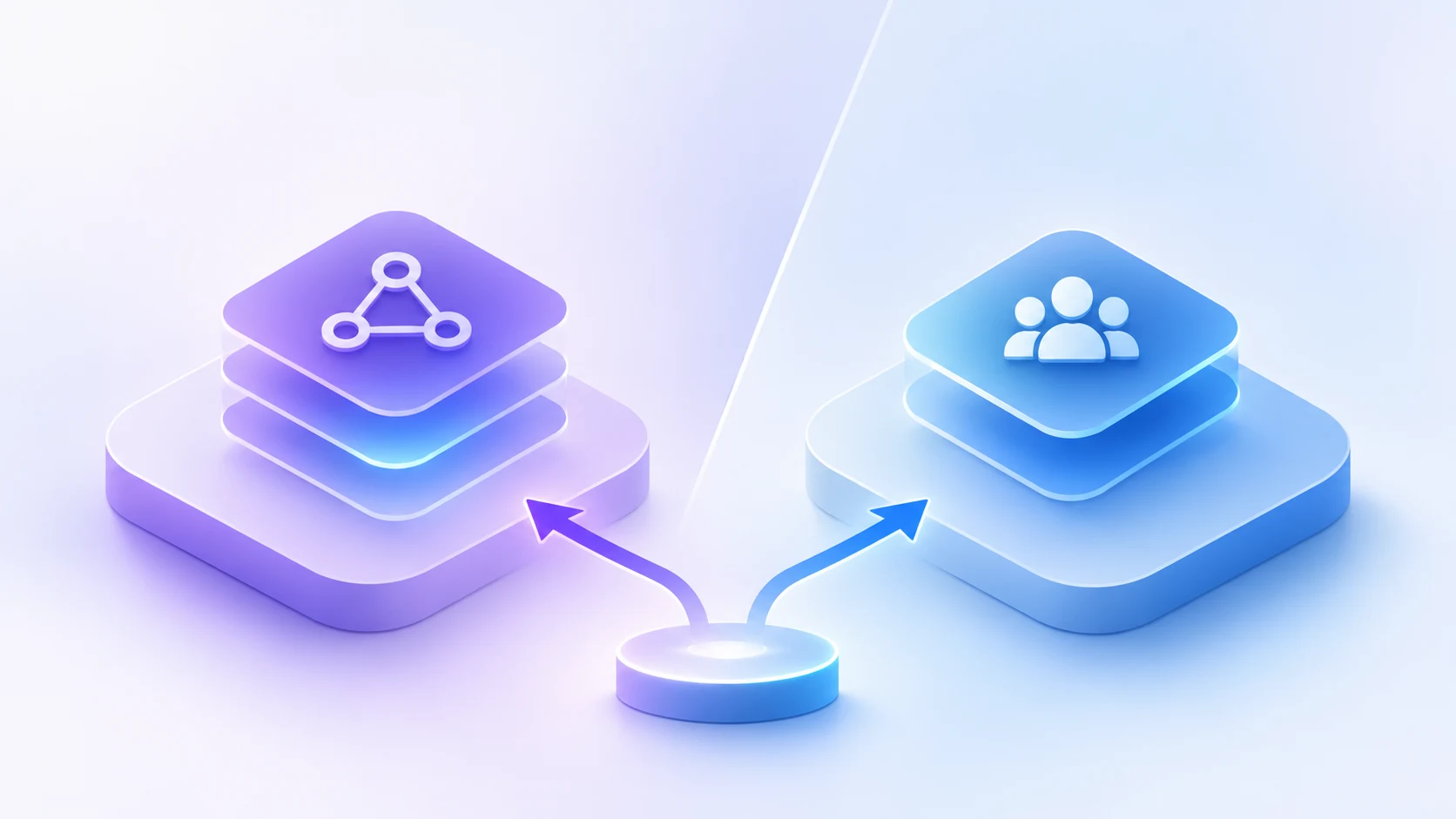
Compare LangGraph vs CrewAI for production AI agents. Explore architecture, workflows, scalability, state management, use cases, and how to choose.
Choosing an AI agent framework for a production application involves more than deciding which tool is easier to use. Developers need to consider workflow control, state management, error recovery, human approval, integration complexity, observability, and long-term maintenance.
LangGraph and CrewAI are two popular frameworks for building AI agent systems, but they approach orchestration differently. LangGraph provides a graph-based runtime for stateful, controllable workflows, while CrewAI provides a role-based agent collaboration model combined with structured workflow orchestration through Flows.
Both frameworks can support production AI applications. The better choice depends on how the application needs to execute tasks, manage state, coordinate agents, and handle failures.
For example, a multi-agent research application that assigns specialised roles to different agents may fit CrewAI's approach. An enterprise workflow that must pause for approval, recover from failures, and follow specific execution paths may benefit from LangGraph's explicit graph structure.
This comparison explains how LangGraph and CrewAI work, their architectural differences, production capabilities, use cases, limitations, and the factors developers should evaluate before choosing a framework.
LangGraph vs CrewAI: Quick Comparison
Comparison Factor | LangGraph | CrewAI |
|---|---|---|
Core approach | Graph-based agent orchestration | Role-based agent collaboration |
Primary abstraction | Nodes, edges, and shared state | Agents, tasks, crews, and flows |
Workflow control | Explicit control over execution paths | Structured control through Flows and configured processes |
Agent collaboration | Can be designed through graph nodes and subgraphs | Core design pattern through Crews |
State management | Graph state with checkpointing | Flow state and persistence mechanisms |
Human-in-the-loop | Interrupt, inspect, edit, and resume workflows | Human input and approval can be incorporated into Flows |
Error recovery | Durable execution and checkpoint-based recovery patterns | Persistence and checkpointing capabilities available in production workflows |
Long-running workflows | Strong fit for explicitly stateful workflows | Can support long-running workflows through Flows |
Development approach | More control over workflow architecture | Higher-level abstractions for agent teams |
Learning curve | Requires understanding graphs and state | Often easier to approach through roles and tasks |
Best suited for | Complex, stateful, highly controlled workflows | Collaborative multi-agent tasks and structured automation |
Main trade-off | More architectural design may be required | Role/task abstractions may need additional structure for complex workflows |
The table describes the frameworks' general design approaches. Actual production suitability depends on implementation, infrastructure, testing, model selection, and operational requirements.
What Is LangGraph?
LangGraph is a low-level orchestration framework and runtime for building stateful AI agents and long-running workflows.
It represents an application as a graph containing nodes, edges, and shared state. Nodes perform operations, while edges determine which operation executes next.
A node can contain ordinary application code, an LLM call, a tool invocation, or another workflow component.
LangGraph allows developers to combine deterministic application logic with AI-driven operations within the same workflow.
According to the official LangGraph documentation, the framework focuses on capabilities such as durable execution, streaming, persistence, and human-in-the-loop control.
How LangGraph Works
A typical LangGraph workflow contains three main components.
Nodes: Individual operations that process information or perform actions.
Edges: Connections that determine the next operation. These may be fixed or conditional.
State: Shared information that moves through the workflow and is updated as nodes execute.
Consider an AI-powered customer support application.
The workflow could:
Receive a customer support request.
Classify the request.
Retrieve relevant customer and product information.
Generate a response.
Check whether the response requires human approval.
Send the response after approval.
Each step can be represented as a node. Conditional edges can route the request according to its category, urgency, or approval status.
This explicit workflow structure makes it easier for developers to understand how the application moves from one step to another.
Key LangGraph Capabilities
Stateful Workflow Orchestration
LangGraph allows developers to define application state and manage how it changes during execution.
This is useful when an agent needs to preserve information across multiple steps, tool calls, or interactions.
Durable Execution and Checkpointing
LangGraph supports checkpointing, which saves workflow state during execution.
Checkpoints can support recovery after interruptions, continuation of workflows, and review of previous execution states.
The LangGraph persistence documentation explains how checkpointers manage thread-level state and how stores can support longer-term information.
Human-in-the-Loop Workflows
Developers can configure workflows to pause for human review.
A user may inspect the current state, approve an action, edit information, or provide additional input before execution continues.
This is valuable for applications that involve sensitive decisions or actions with business consequences.
Conditional Routing
LangGraph supports conditional workflow paths.
For example, an AI system may route a high-priority customer complaint to a human agent while processing a routine question through an automated workflow.
Observability and Debugging
LangGraph can integrate with LangSmith for tracing and debugging.
Developers can inspect workflow execution, state transitions, and model interactions to understand how an agent reached a particular result.
When Should Developers Use LangGraph?
LangGraph is a strong candidate when an application requires:
Explicit workflow control
Complex conditional logic
Stateful execution
Long-running processes
Human approval and interruption
Recovery from execution failures
Custom agent coordination
Detailed workflow debugging
It is particularly useful when the workflow itself is an important part of the application's business logic.
What Is CrewAI?
CrewAI is an AI agent framework designed around collaborative agents, specialised roles, task delegation, and workflow orchestration.
The framework allows developers to define agents with particular responsibilities and assign tasks to them.
For example, an AI research application may include:
A research agent
A data analysis agent
A content writing agent
A quality review agent
Each agent performs a specialised task within a larger process.
CrewAI provides two central abstractions: Crews and Flows.
According to the official CrewAI documentation, Crews provide collaborative agent execution, while Flows provide structured workflow control and state management.
How CrewAI Works
CrewAI organises agent execution through roles, tasks, and processes.
Agents: AI workers configured with roles, goals, tools, and other instructions.
Tasks: Specific activities assigned to agents.
Crews: Groups of agents that collaborate to complete tasks.
Flows: Structured workflows that control execution, manage state, and connect multiple operations or Crews.
Consider a market research application.
A developer may create a crew containing:
A research agent that gathers information.
An analysis agent that evaluates the information.
A writing agent that prepares a report.
A review agent that checks the output.
The agents can collaborate according to the configured process.
For more controlled applications, CrewAI Flows can manage branching, state, and the sequence of execution.
Key CrewAI Capabilities
Role-Based Agent Collaboration
CrewAI allows developers to define specialised agents based on the work they need to perform.
This can make agent responsibilities easier to describe and organise.
Sequential and Hierarchical Processes
Crews can use configured process structures, including sequential and hierarchical approaches.
Sequential execution is useful when tasks follow a defined order. Hierarchical execution can introduce a manager agent that delegates work to other agents.
CrewAI Flows
Flows provide a structured layer for controlling application execution.
They can manage state, define execution paths, and combine Crews with other operations.
The CrewAI production architecture documentation describes the Flow-first approach for applications that need more control than a standalone crew provides.
Tools and Knowledge
CrewAI agents can be configured with tools and knowledge sources relevant to their tasks.
For example, a research agent may use search tools, while a data analyst may use tools for processing structured information.
Human Input and Production Workflows
CrewAI Flows can incorporate human input, approval points, and persistent execution patterns.
These features allow developers to build more controlled applications rather than relying entirely on unconstrained agent collaboration.
When Should Developers Use CrewAI?
CrewAI is a strong candidate when an application requires:
Multiple specialised AI agents
Role-based task delegation
Collaborative research and analysis
Structured sequential workflows
Agent teams with clearly defined responsibilities
Rapid development of multi-agent applications
Workflow orchestration through Flows
It can be a practical choice when the business process naturally resembles a team of specialised workers.
LangGraph vs CrewAI: Architectural Differences
The most important difference between LangGraph and CrewAI is where developers place the emphasis when designing the application.
LangGraph starts with the workflow structure. CrewAI starts with agent roles and collaboration, while its Flows provide structured execution control.
LangGraph Architecture
In LangGraph, developers define the workflow using a graph.
<escape>
START
|
v
Classify Request
|
v
Retrieve Information
|
v
Generate Response
|
v
Validate Response
|
+---- Needs Approval? ---- Yes ----> Human Review
| |
| v
| Resume Workflow
|
+---- No --------------------------> Complete
</escape>
This structure makes the execution path explicit.
Developers can define what happens after each operation, what information is passed forward, and how the workflow responds to specific conditions.
CrewAI Architecture
In CrewAI, the application may begin with a group of specialised agents.
<escape>
Research Agent
|
v
Analysis Agent
|
v
Writing Agent
|
v
Review Agent
|
v
Final Output
</escape>
The agents collaborate according to the configured tasks and process.
When the application requires stronger control, a Flow can manage the process around the crew.
For example, a Flow may validate incoming data, launch a crew, check the output, request human approval, and then distribute the final result.
Why the Architectural Difference Matters
The architecture affects how developers design, test, and maintain the application.
Architecture Consideration | LangGraph | CrewAI |
|---|---|---|
Workflow representation | Graph | Flow and agent team |
Execution control | Defined through nodes and edges | Defined through tasks, processes, and Flows |
Agent responsibilities | Implemented through workflow components | Explicitly defined through agent roles |
Complex branching | Naturally represented through conditional graph edges | Can be represented through Flows |
Agent collaboration | Custom orchestration | Built around Crews |
State transitions | Explicit graph state management | Managed through Flow state and related mechanisms |
Neither approach is inherently better for every application.
The decision should be based on the shape of the business process, not simply the number of agents involved.
LangGraph vs CrewAI: Production Features Compared
A production AI agent must do more than generate a useful answer. It must execute reliably, manage data, handle unexpected conditions, integrate with business systems, and provide enough visibility for developers to diagnose failures.
The following sections compare the frameworks across the capabilities that matter when deploying AI agents in real applications.
1. Workflow Control and Orchestration
Workflow orchestration determines how an AI application executes its tasks and responds to different conditions.
LangGraph uses a graph structure to define the execution path. Developers can implement branching, loops, parallel operations, and transitions between workflow states.
CrewAI uses agents, tasks, and processes for collaborative execution. CrewAI Flows provide additional control over event-driven application logic, state, routing, and branching.
Requirement | LangGraph | CrewAI |
|---|---|---|
Explicit workflow paths | Graph-based | Flow-based |
Conditional execution | Supported through conditional edges | Supported through Flow routing |
Multi-agent coordination | Custom graph orchestration | Core Crew abstraction |
Business process integration | Explicit graph logic | Flows can wrap business logic and Crews |
Workflow customisation | Highly flexible | Flexible within agent and Flow abstractions |
Recommendation: Use LangGraph when execution paths need to be designed and controlled at a detailed level. Consider CrewAI when the application can be expressed as a team of agents performing defined tasks within a structured Flow.
2. State Management and Memory
State management is important when an AI agent needs to remember previous operations, retain intermediate results, or continue a workflow after an interruption.
LangGraph distinguishes between graph state, checkpointing, and long-term stores.
CrewAI provides state management through Flows and has memory capabilities that can support information retrieval across agent tasks.
State Requirement | LangGraph | CrewAI |
|---|---|---|
Maintain workflow state | Graph state | Flow state |
Save execution progress | Checkpointers | Checkpointing capabilities |
Resume workflows | Supported | Supported through persistence patterns |
Maintain context | Thread-scoped state and stores | Memory and workflow context |
Long-term information storage | Store-based approaches | Memory and knowledge mechanisms |
The important distinction is not simply whether a framework supports memory.
Developers should determine what information needs to be retained, how long it should remain available, which users can access it, and how it should be updated.
For example, a customer support agent may need conversation history, while a financial operations workflow may need persistent transaction state and a record of approval decisions.
Both frameworks can support these requirements, but the implementation details differ.
3. Human-in-the-Loop Approval
Human-in-the-loop (HITL) workflows allow people to review or control specific AI operations.
This is important when AI agents interact with sensitive data, business systems, financial transactions, or external users.
LangGraph supports interruption and resumption patterns through its persistence layer. Developers can pause execution, expose the current state for review, and continue after human input.
CrewAI can incorporate human input and approval steps into its Flows and task processes.
Approval Requirement | LangGraph | CrewAI |
|---|---|---|
Pause for review | Supported | Supported through workflow patterns |
Edit workflow information | Can update state before resuming | Can incorporate human input |
Continue after approval | Resume from checkpoint | Resume through configured workflow |
Approval in multi-agent processes | Explicit graph control | Flow and Crew integration |
For example, an AI procurement agent might prepare a purchase order but require a finance manager to approve it before submission.
The framework should make it possible to separate the preparation step from the authorised action.
Neither framework automatically makes an AI workflow safe. Approval rules, permissions, validation, and audit trails must be implemented appropriately.
4. Error Handling and Recovery
Production workflows can fail for many reasons:
An LLM API becomes temporarily unavailable.
A tool returns invalid information.
A database connection fails.
A workflow exceeds its execution time.
An external service returns an unexpected response.
A human approval remains pending.
LangGraph supports durable execution and checkpoint-based recovery patterns.
CrewAI also offers checkpointing and persistence capabilities that can support workflow recovery.
The actual recovery behaviour depends on configuration, checkpoint storage, idempotency, and the type of failure.
Recovery Requirement | LangGraph | CrewAI |
|---|---|---|
Persist execution progress | Checkpointing | Checkpointing |
Resume interrupted work | Supported | Supported |
Retry failed operations | Requires appropriate workflow configuration | Requires appropriate workflow configuration |
Prevent duplicate external actions | Requires application-level controls | Requires application-level controls |
Recover from infrastructure failures | Depends on persistence and deployment architecture | Depends on persistence and deployment architecture |
One important production consideration is idempotency.
If an AI agent attempts to create a payment, send an email, or update a CRM record, retrying the operation should not unintentionally execute the action twice.
Developers must design external tool calls with appropriate safeguards.
5. Observability and Debugging
Observability helps developers understand what an agent did, which tools it used, where it failed, and how much time or cost a workflow consumed.
LangGraph can integrate with LangSmith for tracing and debugging.
CrewAI offers tracing capabilities through its observability tooling.
Observability Requirement | LangGraph | CrewAI |
|---|---|---|
Workflow execution visibility | Graph and trace-based inspection | Crew and Flow tracing |
State transition visibility | Explicit graph state | Flow and task execution context |
Tool call inspection | Supported through tracing | Supported through tracing |
Performance analysis | Available through integrated tooling | Available through integrated tooling |
Debugging failed workflows | Graph-level execution inspection | Task, agent, and Flow inspection |
The most useful observability approach depends on the application.
A graph-based workflow may benefit from inspecting individual node executions and state changes.
A collaborative agent system may benefit from inspecting agent tasks, delegation, outputs, and interactions.
For more information, see the LangGraph documentation and CrewAI tracing documentation.
6. Scalability and Production Deployment
Scalability is not determined by the framework alone.
It also depends on the LLM provider, deployment environment, database, queueing system, concurrency requirements, workload size, and operational design.
LangGraph can be deployed as part of applications that require long-running, stateful execution.
CrewAI can support production workflows through Flows, checkpointing, integrations, and its deployment tooling.
Production Factor | LangGraph | CrewAI |
|---|---|---|
Long-running workflows | Strong fit | Supported through Flows |
Stateful application design | Core design focus | Supported through Flow state |
Multi-agent execution | Custom orchestration | Core Crew design |
Infrastructure scaling | Depends on deployment architecture | Depends on deployment architecture |
Production monitoring | LangSmith and other integrations | CrewAI tracing and monitoring tooling |
Enterprise integration | Flexible integration design | Tools and platform integrations |
There is no universal answer to which framework scales better.
A simple multi-agent application may perform well with CrewAI, while a complex workflow with strict state transitions may be easier to maintain with LangGraph.
Production performance should be measured using the actual workload.
LangGraph vs CrewAI: Which Framework Is Better for Different Use Cases?
The best framework depends on the application's workflow structure and operational requirements.
AI Research and Content Generation Agents
<badge color="success">CrewAI is a strong candidate</badge>
A research application may involve multiple specialised agents.
For example:
A research agent gathers information.
An analysis agent compares findings.
A writing agent prepares a draft.
A review agent checks the output.
This workflow maps naturally to CrewAI's role-based agent model.
LangGraph can also implement this system, particularly if the workflow needs custom branching, state management, or review logic.
Enterprise Customer Support Agents
<badge color="info">LangGraph is a strong candidate</badge>
An enterprise customer support system may need to:
Identify the customer.
Classify the request.
Retrieve relevant account information.
Check company policies.
Generate a response.
Escalate sensitive requests.
Wait for human approval when necessary.
Update the CRM after approval.
This workflow contains explicit business rules and conditional execution paths.
LangGraph is a natural candidate because developers can represent the process as a controlled graph.
CrewAI can also be used when the system benefits from multiple specialised agents and Flows manage the overall process.
AI Sales and Lead Qualification Agents
<badge color="info">Both frameworks are suitable</badge>
An AI sales qualification system may research a prospect, analyse company information, evaluate lead criteria, prepare a CRM summary, and recommend a follow-up action.
CrewAI may be suitable if the workflow is organised around specialised research, qualification, and sales-support agents.
LangGraph may be preferable when the qualification process follows strict decision rules, requires multiple approval stages, or needs explicit state transitions.
AI Financial Operations Agents
<badge color="info">LangGraph is a strong candidate</badge>
Financial workflows often require predictable execution, validation, approval, and auditability.
A finance automation system might:
Retrieve invoice data.
Validate required fields.
Match invoices against purchase orders.
Identify exceptions.
Request human approval.
Update the accounting system.
LangGraph can provide explicit workflow control for these steps.
CrewAI may also support such applications through structured Flows and task orchestration.
The final architecture should include deterministic financial validation, secure permissions, and appropriate approval controls regardless of the framework.
AI Document Processing Agents
<badge color="success">Both frameworks are suitable</badge>
Document processing applications may extract information from PDFs, classify documents, summarise content, and validate extracted fields.
CrewAI may fit a workflow involving specialised extraction, analysis, and review agents.
LangGraph may fit a document-processing system with complex routing, retries, conditional validation, and human review.
Long-Running AI Agents
<badge color="info">LangGraph is a strong candidate</badge>
Applications that need to pause and resume across extended workflows may benefit from LangGraph's stateful graph and checkpointing model.
CrewAI also supports persistent workflow patterns through Flows and checkpointing.
The choice depends on how the application needs to manage execution state, interruptions, and recovery.
Practical Decision Matrix: LangGraph vs CrewAI
The following matrix provides a practical way to evaluate the frameworks during technical planning.
Application Requirement | Suggested Framework | Reason |
|---|---|---|
Complex conditional workflow | LangGraph | Explicit graph routing |
Multi-agent research team | CrewAI | Role-based agent collaboration |
Approval-driven enterprise workflow | LangGraph | State and interruption control |
Structured multi-agent automation | CrewAI | Crews and Flows |
Custom state machine | LangGraph | Graph-based execution |
Sequential agent task pipeline | CrewAI | Task-oriented process model |
Custom agent coordination | LangGraph | Fine-grained workflow design |
Rapid role-based agent prototype | CrewAI | Higher-level agent abstractions |
Complex workflow with retries and recovery | LangGraph | Explicit stateful execution |
Agent team wrapped in controlled business process | CrewAI or LangGraph | Depends on workflow structure |
This matrix should be treated as a starting point for evaluation, not a substitute for prototyping and testing.
Example: Building a Production AI Lead Qualification Agent
Consider a hypothetical B2B software company that receives enquiries through its website.
The company wants to automate initial lead qualification using AI.
The system needs to:
Collect lead information.
Research the prospect's company.
Identify business requirements.
Evaluate lead qualification criteria.
Prepare a CRM summary.
Recommend a sales follow-up.
Require sales approval before taking certain actions.
This example demonstrates how the same business problem can be approached using LangGraph or CrewAI.
Approach 1: Using LangGraph
A LangGraph implementation could use the following workflow:
<escape>
START
|
v
Collect Lead Information
|
v
Research Company
|
v
Extract Business Requirements
|
v
Evaluate Qualification Rules
|
v
Validate Lead Information
|
v
Generate CRM Summary
|
v
Sales Approval
|
v
Update CRM
|
v
END
</escape>
Each operation can be implemented as a graph node.
Conditional routing can determine what happens next.
For example:
If required information is missing, request additional details.
If the lead meets qualification criteria, prepare a sales follow-up.
If the lead requires manual evaluation, route it to a sales representative.
If the proposed CRM update needs approval, pause the workflow.
The workflow structure makes it possible to define and inspect the application's execution logic.
Approach 2: Using CrewAI
A CrewAI implementation could define a team of specialised agents.
Agent | Role | Responsibility |
|---|---|---|
Research Agent | Company Researcher | Gather relevant company information |
Qualification Agent | Lead Analyst | Evaluate the lead against defined criteria |
CRM Agent | CRM Specialist | Prepare structured CRM information |
Sales Support Agent | Sales Assistant | Draft a follow-up recommendation |
A Crew can coordinate these tasks.
A Flow can then manage the larger business process, including input validation, execution, approval, and CRM updates.
The system may follow this process:
<escape>
Lead Submitted
|
v
Qualification Flow
|
v
Research Crew
|
v
Qualification Crew
|
v
CRM Summary Preparation
|
v
Sales Approval
|
v
CRM Update
</escape>
Which Approach Is Better?
Both approaches can solve the lead qualification problem.
CrewAI may be easier to organise if the application is centred around specialised agents with distinct responsibilities.
LangGraph may be easier to control if the application requires detailed routing, explicit state transitions, and complex approval logic.
A useful decision principle is:
Choose the framework that makes your business workflow easiest to control, test, understand, and maintain.
The number of agents is not the only deciding factor.
Can LangGraph and CrewAI Be Used Together?
Yes. In principle, developers can combine frameworks when each solves a distinct part of the application.
For example, a team could use CrewAI to organise a specialised research crew and LangGraph to manage the broader stateful business workflow.
A possible architecture would be:
LangGraph manages the main application workflow.
A CrewAI crew performs a specialised research task.
The crew returns structured results.
LangGraph validates the output.
A human approves the next action.
The application continues through the remaining workflow.
However, using two frameworks introduces additional complexity.
Developers must manage:
State transfer between frameworks
Execution boundaries
Error handling
Logging and tracing
Dependency management
Deployment
Version compatibility
Testing across framework boundaries
Using both frameworks is not automatically better.
If one framework can satisfy the requirements, a single-framework implementation may be easier to maintain.
A hybrid architecture should be adopted only when its benefits justify the additional operational complexity.
What Should Developers Consider Before Choosing an AI Agent Framework?
Selecting an AI agent framework should begin with the application requirements rather than framework popularity.
1. Define the Business Workflow
Describe the complete process before selecting the technology.
Identify:
Inputs
Outputs
Required tools
Decision points
Approval stages
Failure conditions
Data sources
Business rules
If the workflow can be represented as a clear sequence of tasks performed by specialised agents, CrewAI may be a natural fit.
If it contains complex branching, state transitions, and interruption requirements, LangGraph may be worth evaluating first.
2. Identify the Level of Autonomy Required
Not every AI application needs autonomous agents.
A deterministic workflow that calls an LLM for summarisation may be sufficient for some business applications.
More autonomous behaviour may be useful when the system needs to select tools, plan subtasks, or delegate work.
The more autonomy an application has, the more important it becomes to define permissions, execution limits, validation, and monitoring.
3. Evaluate State and Persistence Requirements
Ask whether the application needs to:
Retain information between interactions
Resume work after a failure
Pause for human approval
Preserve task progress
Maintain an audit trail
Share information across agents
These requirements should influence framework and infrastructure selection.
4. Evaluate Integration Requirements
Production agents often need to interact with existing systems.
Examples include:
CRM platforms
ERP systems
Databases
Internal APIs
Document management systems
Customer support platforms
Enterprise search systems
The framework should be evaluated alongside the integration architecture.
A framework alone does not guarantee that a business application can securely or reliably connect to existing systems.
5. Evaluate Observability
Developers should be able to inspect:
Model requests and responses
Tool calls
Workflow state
Task execution
Errors
Latency
Token usage
Cost
Observability is important because an agent can fail at multiple layers.
The framework's tracing capabilities, integrations, and deployment environment should be evaluated together.
6. Consider the Development Team's Experience
The team's existing skills can influence implementation time and maintenance effort.
Developers familiar with graph-based workflow design may find LangGraph easier to adopt.
Teams that prefer defining specialised agents and tasks may find CrewAI's abstractions more accessible.
However, familiarity should not override architectural requirements.
A framework that is easy to prototype with may still require careful design when the application becomes more complex.
How to Evaluate LangGraph vs CrewAI Through a Production Pilot
A small pilot is often more useful than choosing a framework based only on documentation or feature lists.
The pilot should use a realistic business workflow.
Step 1: Select a Specific Use Case
Choose a workflow with clear inputs and outputs.
For example:
Lead qualification
Invoice processing
Document analysis
Customer support
Research automation
Avoid testing a vague objective such as "build a fully autonomous AI assistant."
Step 2: Implement the Same Workflow in Both Frameworks
Where practical, implement the same business requirements using LangGraph and CrewAI.
Keep the model provider, tools, input data, validation rules, and task requirements as similar as possible.
This helps isolate differences in framework design.
Step 3: Define Evaluation Metrics
The pilot should measure several dimensions.
Metric | What It Measures |
|---|---|
Task completion rate | Percentage of test tasks completed successfully |
Output accuracy | Correctness of generated information |
Workflow reliability | Ability to handle interruptions and failures |
Execution latency | Time required to complete a workflow |
Token usage | Model consumption during execution |
Cost per successful task | Total operational cost for a completed task |
Human correction rate | Frequency of manual corrections |
Recovery success rate | Ability to resume failed or interrupted workflows |
Development effort | Time required to build and maintain the workflow |
Observability | Ease of diagnosing failures |
These metrics should be defined before the pilot begins.
Step 4: Test Failure Scenarios
A production evaluation should include more than successful runs.
Test scenarios such as:
LLM provider timeout
Invalid tool output
Missing input data
Incorrect agent response
Database connection failure
Human approval delay
Duplicate tool execution
Workflow interruption
The framework should be evaluated on how the application handles these situations.
Step 5: Evaluate Operational Complexity
Consider the work required to maintain the application.
Review:
Code complexity
Workflow readability
Logging and monitoring
Infrastructure requirements
Dependency management
Deployment process
Testing effort
Developer onboarding
A framework that performs well in a demo may create maintenance challenges if its workflow becomes difficult to understand.
Step 6: Make the Selection Based on Evidence
Choose the framework that meets the application's functional and operational requirements with an acceptable level of complexity.
Do not select a framework solely because it has more features, a larger community, or a simpler initial setup.
The best choice is the one that performs reliably for the actual workload.
What LangGraph and CrewAI Cannot Solve on Their Own
An AI agent framework provides orchestration capabilities. It does not automatically solve every production AI challenge.
Both frameworks still require developers to address the following areas.
AI Model Accuracy
The framework cannot guarantee that an LLM will generate factually correct information.
Applications need evaluation datasets, output validation, grounding, and suitable model selection.
Data Quality
If the source data is incomplete or inaccurate, the agent may produce misleading results.
Data quality controls should be implemented before and during execution.
Business Logic
Important business rules should not depend entirely on an AI model's interpretation.
Deterministic code should handle rules that require exact outcomes.
Security
Authentication, authorisation, secret management, data protection, and tool permissions remain application responsibilities.
An agent should only access information and perform actions that it is authorised to use.
Production Monitoring
A production AI system requires ongoing monitoring for errors, latency, cost, model changes, and output quality.
Framework selection is only one component of the broader AI application architecture.
LangGraph vs CrewAI: Final Recommendation
LangGraph and CrewAI are both useful frameworks for building production AI agents, but their strengths are based on different approaches to orchestration.
LangGraph is a strong option for applications that need explicit workflow control, stateful execution, complex conditional routing, human approval, and durable execution.
CrewAI is a strong option for applications built around specialised agent roles, task delegation, collaborative workflows, and structured automation through Crews and Flows.
Neither framework should be considered universally superior.
For developers evaluating production AI agents, the decision should come down to the workflow's complexity, the required control over execution, the application's state management needs, and the team's ability to build and maintain the system.
Start with the business process. Define the required controls. Build a realistic pilot. Measure accuracy, reliability, cost, and operational complexity.
That approach provides a more reliable basis for choosing between LangGraph and CrewAI than selecting a framework based on popularity alone.
FREQUENTLY ASKED QUESTIONS
1. Is LangGraph better than CrewAI for production AI agents?
LangGraph may be a better fit for production applications that require explicit workflow control, state management, interruption, and recovery. CrewAI may be a better fit for applications organised around specialised agent teams and structured task delegation. Both frameworks support production-oriented patterns. The best choice depends on the workflow requirements, infrastructure, and implementation quality.
2. What is the main difference between LangGraph and CrewAI?
The main difference is their orchestration model. LangGraph uses graphs, nodes, edges, and shared state to control execution. CrewAI uses specialised agents, tasks, and Crews, with Flows providing structured workflow control. LangGraph emphasises explicit workflow design, while CrewAI emphasises role-based collaboration.
3. Is CrewAI easier to learn than LangGraph?
CrewAI may be easier for developers who prefer defining agents through roles, goals, and tasks. LangGraph requires developers to understand graph-based execution and state management. However, learning difficulty depends on the developer's experience with Python, AI applications, workflow orchestration, and the framework's abstractions.
4. Can LangGraph build multi-agent AI systems?
Yes. LangGraph can be used to build multi-agent systems through graph-based orchestration, agent nodes, subgraphs, and custom coordination logic. Developers can control how agents communicate, share information, and execute tasks within a workflow.
5. Can CrewAI be used for enterprise AI applications?
Yes. CrewAI provides Crews, Flows, state management, tools, checkpointing, and production-oriented workflow patterns. Enterprise applications still require appropriate security, infrastructure, integration, testing, and operational controls.
6. Does LangGraph support human-in-the-loop workflows?
Yes. LangGraph supports interrupting workflows for human review and resuming execution after approval or input. Its persistence capabilities help maintain workflow state during these interactions.
7. Can LangGraph and CrewAI use the same LLMs?
Both frameworks can connect to supported language models through their respective integrations and configuration approaches. The exact model compatibility depends on the provider, framework version, and available integration.
8. Should developers use LangGraph or CrewAI for AI agents with tools?
Both frameworks can support tool-using AI agents. CrewAI allows tools to be assigned to specialised agents. LangGraph allows tool execution to be incorporated into graph nodes and workflow logic. The decision depends on whether tool usage is organised around agent roles or explicit workflow control.
Comments (0)
No comments yet. Be the first to share your thoughts!