LLM vs RAG vs AI Agent: Which One Wins in 2026?

Author
Ravi Prajapati
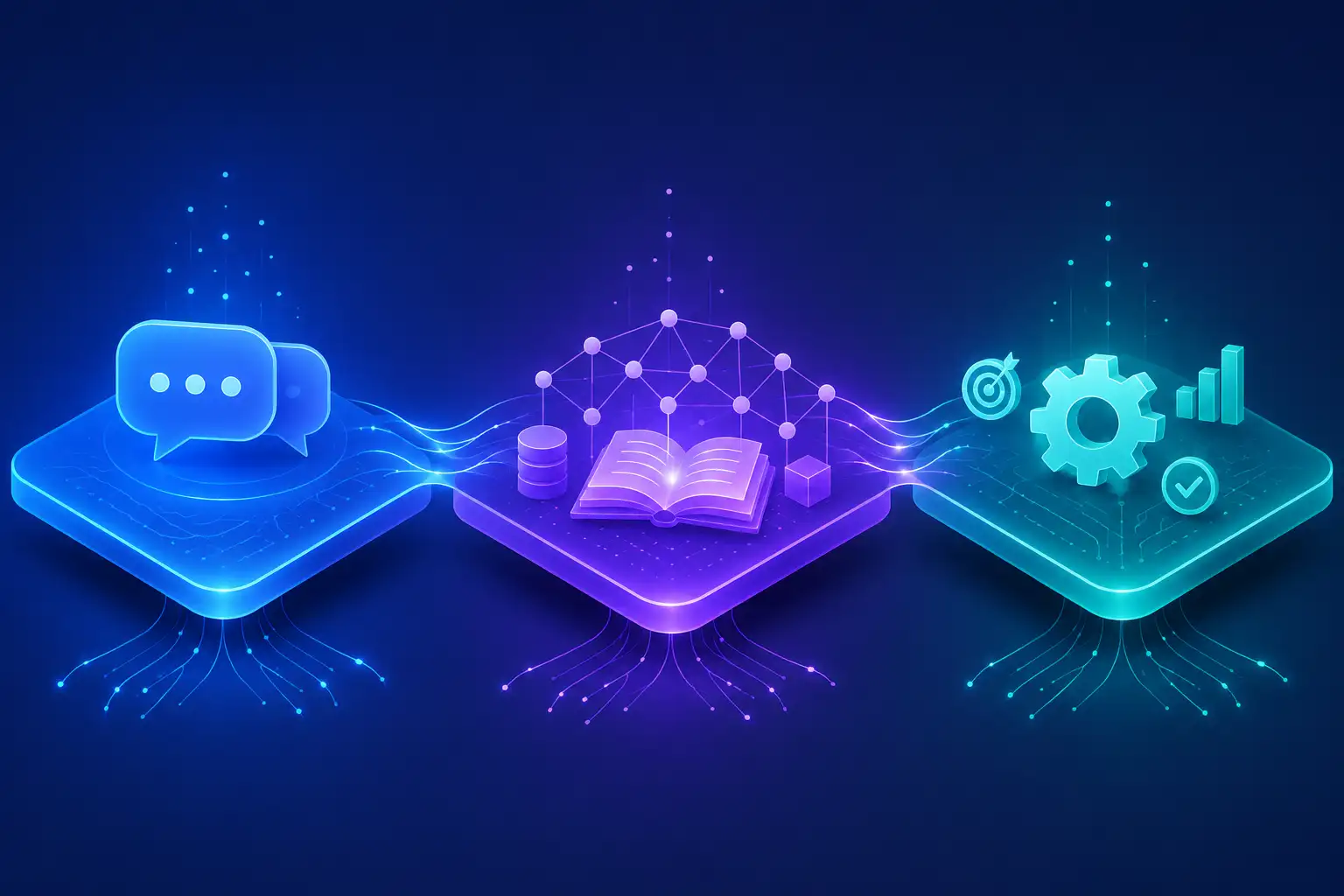
LLM vs RAG vs AI Agent explained in plain English. Learn how each works, when to use them, and which one fits your business in 2026.
Quick Overview
Who this guide is for: AI beginners, developers, SaaS founders, startup founders, CTOs, product managers, AI engineers, and business leaders who keep hearing the terms LLM, RAG, and AI Agent and want a clear, no-fluff explanation of what they actually mean.
What you will learn: How a plain LLM works, how RAG (Retrieval-Augmented Generation) fixes an LLM's biggest weakness, how AI Agent workflows go a step further by planning and taking action, and exactly when to use each one for your product or business.
Why this comparison matters: Picking the wrong architecture is one of the most expensive mistakes a team can make in 2026. Build a simple chatbot when you actually needed live data lookup, and your users get outdated answers. Build a complex multi-agent system when a simple prompt would do, and you burn budget and engineering time for no real gain. This guide gives you a framework to choose correctly the first time.
Key Takeaways
An LLM (Large Language Model) is a prediction engine trained on huge amounts of text. It is brilliant at language but frozen in time and prone to making things up.
RAG (Retrieval-Augmented Generation) connects an LLM to your own documents or data using a vector database, so answers are grounded in facts instead of guesses.
AI Agent workflows add planning, memory, and tool use on top of an LLM (often combined with RAG), letting the system take multi-step actions instead of just answering questions.
LLMs are the cheapest and fastest to set up. RAG adds retrieval infrastructure and cost. Agents add the most complexity, cost, and risk, but also the most autonomy.
According to Stanford HAI's 2026 AI Index, organizational AI adoption reached 88 percent in 2025, but most companies are still experimenting rather than scaling agentic systems.
McKinsey's November 2025 Global AI Survey found only 23 percent of organizations are actively scaling AI agents, while 39 percent are still experimenting.
Gartner predicts that more than 40 percent of agentic AI projects will be canceled by the end of 2027 due to unclear ROI and weak governance, so choosing the right architecture matters more than chasing hype.
The three approaches are not rivals. Most production-grade enterprise systems in 2026 combine all three: an LLM as the reasoning core, RAG for grounded knowledge, and an agent layer for action.
Model Context Protocol (MCP) is quickly becoming the standard way agents connect to tools, databases, and other systems, similar to how APIs standardized web integrations.
The right choice depends on one simple question: do you need the system to talk, to know, or to act?
Three years ago, most people's idea of AI was a chatbot that answered questions in a chat window. Today, the conversation has moved far beyond that. Tools like ChatGPT, Claude, and Gemini can now search the web, read your files, write code, and even carry out multi-step tasks on your behalf. Enterprise AI has shifted from "can it answer a question" to "can it get the job done."
This shift did not happen overnight. It happened in three distinct layers, and understanding those layers is the key to understanding modern AI systems. First came the LLM, the language engine that made all of this possible. Then came RAG, which solved the LLM's habit of confidently making things up by connecting it to real, current data. Now we have AI Agent workflows, which give the system the ability to plan, use tools, remember context, and act autonomously across multiple steps.
If you are building a product, choosing a vendor, or simply trying to understand what your engineering team is talking about, the question of LLM vs RAG vs AI Agent is no longer optional to understand. It shapes cost, accuracy, speed, and risk. This guide walks through each approach in plain English, compares them side by side, and gives you a clear framework for deciding which one fits your use case, or whether you need all three working together.
Latest AI Statistics
All figures below are sourced from primary research organizations, with the year of publication noted.
Organizational AI adoption reached 88 percent in 2025, according to Stanford HAI's 2026 AI Index Report (hai.stanford.edu, 2026).
4 out of 5 university students now use generative AI for coursework, per Stanford HAI's 2026 AI Index Report (hai.stanford.edu, 2026).
Generative AI reached 53 percent population-level adoption within three years, faster than the personal computer or the internet, per Stanford HAI's 2026 AI Index (hai.stanford.edu, 2026).
On the SWE-bench Verified coding benchmark, model performance rose from 60 percent to nearly 100 percent of the human baseline in a single year, per Stanford HAI's 2026 AI Index Report (hai.stanford.edu, 2026).
Estimated U.S. consumer surplus from generative AI tools reached $172 billion annually by early 2026, up from $112 billion the year before, per Stanford HAI's 2026 AI Index (hai.stanford.edu, 2026).
Global corporate AI investment reached $581.69 billion in 2025, a 129.9 percent increase year over year, per Stanford HAI's 2026 AI Index Report, citing data compiled with contributing partners (hai.stanford.edu, 2026).
23 percent of organizations report they are actively scaling an agentic AI system in at least one business function, while another 39 percent are experimenting, per McKinsey's "The State of AI in 2025: Agents, Innovation, and Transformation" survey of 1,993 participants across 105 countries (mckinsey.com, 2025).
88 percent of organizations say they regularly use AI in at least one business function, up from 78 percent in 2024, per McKinsey's November 2025 State of AI survey (mckinsey.com, 2025).
Only about 6 percent of organizations qualify as "AI high performers" reporting more than 5 percent EBIT impact from AI, per McKinsey's 2025 State of AI survey (mckinsey.com, 2025).
Gartner predicts that more than 40 percent of agentic AI projects will be canceled by the end of 2027 due to escalating costs, unclear business value, or inadequate risk controls (gartner.com, 2025).
Gartner also predicts that 33 percent of enterprise software applications will include agentic AI by 2028, up from less than 1 percent in 2024 (gartner.com, 2025).
GitHub Copilot reached roughly 20 million cumulative users by July 2025, with 1.3 million paid subscribers, according to GitHub and Microsoft reporting (quantumrun.com, 2026).
In controlled studies with professional developers, Copilot users completed a coding task 55 percent faster than a control group, per research involving Accenture and roughly 4,800 developers (quantumrun.com, 2026).
Documented AI incidents rose to 362 in 2025, up from 233 in 2024, per Stanford HAI's Responsible AI chapter of the 2026 AI Index (hai.stanford.edu, 2026).
AI-driven productivity studies cited in the 2026 Stanford AI Index report gains of 14 to 15 percent in customer support, 26 percent in software development, and 50 percent in marketing output (hai.stanford.edu, 2026).
These numbers tell a consistent story. Adoption of basic generative AI is now nearly universal. Adoption of autonomous AI agents is real but still early, and a meaningful share of agent projects will not survive the next two years unless they are scoped correctly. That is exactly why understanding the difference between LLM, RAG, and AI Agent workflows matters before you commit budget to any of them.
What is an LLM?
A Large Language Model (LLM) is a type of AI system trained to predict the next word in a sequence of text, based on patterns learned from enormous amounts of text data. That is the whole trick, and it turns out that trick, done at a massive scale, produces something that looks a lot like reasoning and understanding.
How it works
Think of an LLM as an extremely well-read pattern matcher. It has read a huge portion of the publicly available internet, books, articles, and code, and it has learned the statistical relationships between words, sentences, and ideas. When you type a prompt, the model does not "look up" an answer. It generates the most statistically likely next word, then the next, then the next, based on everything it learned during training and everything you have written so far in the conversation.
Training
Training an LLM happens in stages. First, the model goes through pretraining, where it processes massive datasets and learns general language patterns. Then it goes through fine-tuning, where it is trained further on curated examples to make it more helpful, safer, and better at following instructions. Many modern models also go through a stage called reinforcement learning from human feedback (RLHF), where human reviewers rank different responses and the model learns to prefer the ones people find most useful.
Inference
Inference is simply the term for what happens when you actually use the model, meaning that is when it generates a response to your prompt. This is different from training. Training happens once (or periodically, when a new version is released). Inference happens every single time you send a message.
Strengths
Excellent at understanding and generating natural language
Strong at summarizing, translating, and rewriting text
Good at general reasoning, brainstorming, and code generation
Fast and relatively cheap per request compared to more complex systems
No need to set up any infrastructure to get started
Weaknesses
Knowledge cutoff. The model only knows what it learned during training. It has no idea about anything that happened after that date unless it is given that information in the prompt.
Hallucination. When an LLM does not know something, it does not always say "I don't know." Instead, it can generate a confident-sounding but incorrect answer. This is one of the most cited limitations of standalone LLMs.
No access to private data. An LLM cannot see your company's internal documents, your customer database, or your product catalog unless you explicitly provide that information.
No memory between sessions (by default). Most standalone LLMs forget everything once the conversation ends, unless a separate memory system is added.
Examples
ChatGPT (OpenAI), Claude (Anthropic), Gemini (Google), and Llama (Meta) are all built on top of LLMs. When you chat with any of these tools without file uploads, browsing, or plugins, you are interacting with a fairly close-to-raw LLM experience.
Use cases
Writing assistance, brainstorming, coding help for generic problems, summarizing text you paste in, translating content, and answering general knowledge questions that do not require up-to-the-minute accuracy.
What is RAG?
Retrieval-Augmented Generation (RAG) is a technique that connects an LLM to an external knowledge source, so the model can look up relevant, accurate information before generating its answer, instead of relying purely on what it memorized during training.
Here is a simple analogy. A plain LLM is like a brilliant student taking a closed-book exam, relying entirely on memory. RAG turns that same exam into an open-book test. The student (the LLM) is still doing the thinking and writing, but now they can flip to the right page in the textbook before answering.
Vector databases
To make this "open-book lookup" fast and relevant, RAG systems store information in a vector database. A vector database stores content not as plain text, but as embeddings, which are numerical representations of meaning. Two pieces of text that mean similar things end up with numerically similar embeddings, even if they use completely different words.
Embeddings
An embedding is essentially a long list of numbers that captures the meaning of a piece of text. When you ask a question, that question is also converted into an embedding, and the system searches the vector database for the stored embeddings that are mathematically closest to your question's meaning.
Semantic search
This lookup process is called semantic search, because it searches by meaning rather than by exact keyword matching. This is a major upgrade over traditional keyword search, because it can find the right answer even if you phrase your question completely differently from how the source document phrases it.
Knowledge retrieval and context injection
Once the most relevant chunks of information are found, they are inserted, or "injected," into the prompt that gets sent to the LLM, alongside your original question. The model then generates its answer using both its general language ability and this newly retrieved, specific context. This is called context injection.
How RAG improves LLMs
RAG directly addresses the two biggest weaknesses of a standalone LLM:
It gives the model access to current, private, or specialized information it was never trained on.
It reduces hallucination, because the model is now grounding its answer in retrieved facts rather than guessing from memory.
When to use RAG
Use RAG whenever your application needs to answer questions using specific documents, a knowledge base, product catalogs, internal wikis, legal contracts, or any information that changes more often than the model gets retrained.
Advantages
Answers grounded in your actual data, not just training data
Easier and cheaper to keep current than retraining or fine-tuning a model
Reduces hallucination on domain-specific questions
Keeps sensitive data outside the model's training process
Limitations
Requires building and maintaining a retrieval pipeline and vector database
Answer quality depends heavily on how well documents are chunked and indexed
Can still hallucinate if retrieval pulls the wrong or incomplete context
Adds latency compared to a plain LLM call, since retrieval happens first
What are AI Agent Workflows?
An AI Agent is a system built on top of an LLM (often combined with RAG) that can plan multiple steps, use external tools, remember context across a task, and take action toward a goal, rather than simply generating a single text response.
This is often called Agentic AI, and it represents the current frontier of applied AI. Where an LLM answers a question and RAG answers a question with better facts, an agent actually does something with the answer.
Planning
Agents break a large goal into smaller steps. If you ask an agent to "research three competitors and draft a comparison report," it plans out a sequence: search for each competitor, extract key facts, compare them, then write the report. This planning step is what separates an agent from a simple chatbot.
Reasoning
Modern agents use step-by-step reasoning, sometimes called "chain of thought," to work through a problem logically before acting, similar to how a person might think out loud while solving a puzzle.
Memory
Agents can maintain memory across a task or even across sessions. Short-term memory helps the agent track progress within a single task. Long-term memory lets it recall facts, preferences, or past interactions across multiple sessions.
Tool use and function calling
Tool use means the agent can call external tools, such as a calculator, a web search engine, a code execution environment, or a company database, instead of relying only on its own internal knowledge. This is implemented through function calling, where the model outputs a structured request (like "search_orders(customer_id=123)") that a program then executes on the model's behalf, returning the result back to the model.
MCP (Model Context Protocol)
Model Context Protocol (MCP) is an open standard that defines how AI models connect to external tools, data sources, and applications in a consistent way. Instead of building a custom, one-off integration every time you want an AI agent to talk to a new tool, MCP acts like a universal connector, similar to how USB standardized how devices plug into computers. It is quickly becoming the backbone of enterprise agent architecture in 2026.
Multi-agent systems
Some workflows use multiple agents that specialize in different tasks and coordinate with each other, such as one agent that researches, one that writes, and one that reviews. This is called a multi-agent system, and it mirrors how a human team might divide labor on a project.
Autonomous workflows
When agents are given the ability to complete an entire process end to end, with humans only reviewing or approving at key checkpoints, this is called an autonomous workflow. Examples include automatically triaging support tickets, reconciling invoices, or running a multi-step customer onboarding sequence.
Examples
Coding agents like Claude Code and GitHub Copilot's agent mode, customer service agents like Salesforce Agentforce, and enterprise research agents like Glean all fall under this category.
Visual Architecture
How an LLM works, described in words
Picture a single box labeled "Language Model." A user's prompt goes into the box. Inside the box, the model processes the text through its trained neural network and predicts the most likely next words, one at a time, until it forms a complete response. That response comes straight back out to the user. There is no lookup step, no external memory, and no action taken. It is a straight line: prompt in, response out.
flowchart LR
    A[User Prompt] --> B[LLM Neural Network]
    B --> C[Generated Response]
    C --> D[User]
How RAG works, described in words
Now picture the same box, but before the prompt reaches the language model, it makes a detour. The user's question is converted into an embedding and sent to a vector database, which searches for the most relevant chunks of stored information. Those chunks are combined with the original question into a single, enriched prompt. Only then does it enter the LLM box, which generates a response grounded in that retrieved context.
flowchart LR
    A[User Question] --> B[Convert to Embedding]
    B --> C[Vector Database Search]
    C --> D[Retrieve Relevant Chunks]
    D --> E[Combine Question + Context]
    E --> F[LLM Neural Network]
    F --> G[Grounded Response]
    G --> H[User]
How AI Agents work, described in words
This time, picture a loop instead of a straight line. The user gives a goal, not just a question. The agent, powered by an LLM, creates a plan. It then checks whether it needs information (triggering a RAG-style lookup) or needs to use a tool (triggering a function call to an external system, possibly through MCP). The result of that action feeds back into the agent's memory. The agent then evaluates whether the goal is complete. If not, it plans the next step and loops again. Only when the goal is fully achieved does the final result return to the user.
flowchart TD
    A[User Goal] --> B[Agent Planning]
    B --> C{Needs Info or Action?}
    C -->|Retrieve Data| D[RAG / Vector DB]
    C -->|Use Tool| E[Function Call via MCP]
    D --> F[Update Memory]
    E --> F[Update Memory]
    F --> G{Goal Complete?}
    G -->|No| B
    G -->|Yes| H[Final Result to User]
Comparison Table
Dimension | LLM | RAG | AI Agent |
|---|---|---|---|
Learning ability | Fixed after training | Improves via updated documents, not model retraining | Improves via memory, feedback, and tool outcomes |
Knowledge source | Training data only | Training data plus external documents/data | Training data, RAG sources, plus live tool results |
Memory | None by default | Session-level context only | Short-term and long-term memory |
Reasoning | Single-pass generation | Single-pass, context-enriched | Multi-step planning and iterative reasoning |
Tool usage | None | None (retrieval only) | Yes, via function calling and MCP |
Internet access | No, unless explicitly added | No, unless retrieval source includes web data | Often yes, as one of several tools |
Autonomy | None, one response per prompt | None, one grounded response per prompt | High, can execute multi-step tasks |
Speed | Fastest | Slightly slower (adds retrieval step) | Slowest (multiple steps, tool calls, loops) |
Accuracy on general topics | Good | Good | Good |
Accuracy on private/current data | Poor | Strong | Strong (via embedded RAG) |
Hallucination risk | Higher on niche or recent topics | Lower, grounded in retrieved facts | Lower for facts, but compounding risk across steps |
Cost | Lowest per request | Medium (infrastructure plus per-request cost) | Highest (multiple model calls plus tool costs) |
Implementation complexity | Low | Medium | High |
Scalability | Easy to scale | Scales with retrieval infrastructure | Scales but requires orchestration and monitoring |
Security | Depends on prompt handling only | Must also secure documents and vector store | Must secure tools, data access, and action permissions |
Enterprise readiness | Good for simple use cases | Good for knowledge-heavy use cases | Maturing fast, but governance still developing |
Maintenance | Minimal | Moderate, keep documents and index updated | High, monitor agent behavior and tool integrations |
Customization | Prompt-level only | Prompt plus document/knowledge base control | Full control over goals, tools, and workflow logic |
Developer effort | Low | Medium | High |
Ideal use cases | Writing, brainstorming, general Q&A | Support bots, internal search, document Q&A | Multi-step automation, research, autonomous operations |
Future potential | Stable, foundational layer | Growing as enterprises digitize knowledge | Highest growth trajectory, per Gartner and McKinsey data |
Advantages and Disadvantages
LLM
Pros | Cons |
|---|---|
Fast to deploy, no infrastructure needed | Frozen knowledge cutoff |
Strong general language ability | No access to private or current data |
Lower cost per request | Prone to hallucination on unfamiliar topics |
Great for creative and general tasks | No memory across sessions by default |
RAG
Pros | Cons |
|---|---|
Answers grounded in your real data | Requires building and maintaining retrieval infrastructure |
Easier to keep current than retraining a model | Quality depends on document chunking and indexing |
Reduces hallucination on specific topics | Adds latency versus a plain LLM call |
Keeps sensitive data outside model training | Still no autonomous action, just better answers |
AI Agents
Pros | Cons |
|---|---|
Can complete multi-step tasks autonomously | Highest cost and implementation complexity |
Can use tools and take real actions | Errors can compound across steps |
Can combine reasoning, memory, and retrieval | Requires strong governance and monitoring |
Highest potential for automation and efficiency gains | Gartner predicts over 40 percent of agentic projects will be canceled by 2027 due to poor scoping |
Real World Examples
ChatGPT started as a pure LLM interface and has since added browsing, file analysis, and tool use, moving it steadily toward agent-like behavior for everyday users and businesses.
Claude by Anthropic is used both as a conversational LLM and, through Claude Code and MCP integrations, as an agentic system that can read files, run code, and connect to external tools for developers and enterprise teams.
GitHub Copilot began as an LLM-powered autocomplete tool inside code editors and has expanded into agent mode, where it can plan and execute multi-file coding tasks rather than just suggesting the next line.
Perplexity is a strong example of RAG in action, combining an LLM with real-time web retrieval so that answers include current information and cited sources rather than relying purely on training data.
Cursor is an AI-native code editor that blends LLM code generation with agentic capabilities, allowing it to navigate a codebase, make changes across multiple files, and run tests.
Glean is an enterprise search and RAG platform that connects to a company's internal tools (Slack, Google Drive, Confluence, and more) so employees can ask questions and get answers grounded in the company's own knowledge.
Harvey AI applies RAG and LLM reasoning to legal work, helping lawyers research case law and draft documents grounded in verified legal sources rather than generic model memory.
Salesforce Agentforce is built specifically around agentic workflows, letting businesses deploy autonomous agents that can handle customer service cases, sales follow-ups, and internal operations with defined guardrails.
Microsoft Copilot spans all three layers depending on context: a pure LLM assistant in simple chat scenarios, a RAG system when grounded in your organization's Microsoft 365 data, and an agent when it takes multi-step actions across apps.
Amazon Q is Amazon's enterprise assistant, combining RAG over internal AWS and company data with increasing agentic capability for tasks like code migration and operational automation.
Business Use Cases
Function | LLM Fit | RAG Fit | AI Agent Fit |
|---|---|---|---|
Marketing | Draft ad copy, brainstorm campaign ideas | Answer questions using brand guidelines and past campaign data | Autonomously generate, test, and optimize campaign variants |
Customer Support | Draft generic responses | Answer using product docs and policy manuals | Resolve tickets end to end, escalate only exceptions |
Sales | Write outreach emails | Pull accurate product and pricing info during calls | Qualify leads and schedule follow-ups automatically |
Healthcare | Summarize medical literature | Answer using clinical guidelines and patient records (with strict governance) | Coordinate appointment scheduling and follow-up reminders |
Education | Explain concepts, generate practice questions | Answer using specific textbooks or course material | Personalize learning paths and track student progress |
Finance | Summarize reports | Answer using internal financial data and compliance documents | Automate reconciliation and flag anomalies for review |
Legal | Draft general contract language | Research using case law and firm precedent | Assemble first-draft filings and track deadlines |
HR | Draft job descriptions | Answer employee questions using policy handbooks | Manage onboarding workflows across multiple systems |
Manufacturing | Summarize maintenance manuals | Answer using equipment specs and safety data sheets | Monitor sensor data and trigger maintenance workflows |
Software Development | Generate boilerplate code | Answer using internal documentation and codebase context | Plan, write, test, and open pull requests autonomously |
When Should You Choose an LLM?
Choose a plain LLM when your task is primarily about language, not knowledge lookup or action. If you need to brainstorm ideas, draft content, summarize something the user pastes in directly, explain a general concept, or write code for a common, well-documented problem, a standalone LLM is fast, cheap, and sufficient. There is no need to build retrieval infrastructure or an agent framework if the model already has everything it needs inside the conversation.
When Should You Choose RAG?
Choose RAG when accuracy depends on specific information the model was not trained on, especially information that changes over time. This includes internal company knowledge, product documentation, legal or medical reference material, customer records, or anything where a wrong or outdated answer carries real cost. If your users are asking "what does my policy cover" or "what is in this contract," you need retrieval, not just generation.
When Should You Build AI Agents?
Choose an agent architecture when the task requires more than one step, or when the system needs to take action rather than just respond. If your goal is "research this, then compile it, then send it," or "monitor this data and act automatically when a threshold is crossed," you need planning, memory, and tool use. Be honest about the added cost and complexity here. Gartner's prediction that over 40 percent of agentic AI projects will be canceled by 2027 is a direct warning against building agents for tasks that a simple LLM or RAG system could already handle well.
Can You Combine All Three?
Yes, and in practice, most serious enterprise AI systems in 2026 do exactly that. Think of it as layered architecture rather than three competing choices.
The LLM is the reasoning core, the part that actually understands language and generates responses. RAG sits around that core, feeding it grounded, accurate, up-to-date information instead of relying purely on training data. The agent layer wraps around both, deciding when to retrieve information, when to call a tool, when to loop back and try again, and when the task is truly finished.
A real example: a customer support agent might receive a ticket (the trigger), use RAG to pull the customer's order history and the relevant policy document (grounded knowledge), reason through the best response using the LLM (language generation), and then use function calling to actually issue a refund or update a record (autonomous action). Remove any one layer, and the system becomes noticeably weaker. Without RAG, the agent might act on outdated policy. Without the agent layer, RAG alone can only answer questions, not resolve the ticket. Without the LLM, none of it can communicate naturally with the customer at all.
This is why enterprises increasingly combine all three: each layer solves a different limitation, and together they cover the gap between "the system can talk," "the system knows things," and "the system can act."
Common Mistakes
Building an agent when a simple LLM prompt would do. Adding planning loops and tool calls to a task that only needed a good prompt wastes budget and adds failure points.
Skipping RAG and relying on the model's memory for company-specific facts. This is one of the most common causes of hallucinated answers in customer-facing tools.
Poor document chunking in RAG systems. Splitting documents in ways that break apart related context leads to incomplete or misleading retrieval.
Ignoring embedding quality. Using a mismatched or outdated embedding model can quietly degrade search relevance without any obvious error message.
No evaluation pipeline. Shipping an LLM, RAG, or agent system without a systematic way to test accuracy before and after changes.
Underestimating latency. RAG and agent workflows add extra steps, and teams often discover response times are too slow only after launch.
No guardrails on agent autonomy. Letting an agent take real-world actions (refunds, emails, database writes) without approval checkpoints or spending limits.
Treating agentic AI as a single product rather than an architecture. This leads to vague requirements and, per Gartner, contributes heavily to project cancellations.
Not securing the vector database. Sensitive documents stored for retrieval need the same access controls as the original source systems.
Falling for "agent washing." Gartner has flagged that many vendors rebrand simple chatbots or robotic process automation as "agentic AI" without real planning or autonomy.
Skipping human-in-the-loop review for high-stakes actions. Full autonomy without oversight increases the damage from a single hallucination or bad decision.
Not budgeting for ongoing maintenance. RAG indexes and agent tools both require continuous upkeep as documents, APIs, and business rules change.
Future Trends (2026 and Beyond)
Agentic AI is moving from experimentation toward more disciplined, narrowly scoped deployments, as organizations learn from early failures and focus on high-value, well-governed workflows.
AI Operating Systems are emerging as a concept where AI agents become the primary interface for how employees interact with software, coordinating across multiple applications rather than requiring people to switch between them manually.
Long context models now allow far more information to be included directly in a single prompt, which is changing how teams think about the balance between stuffing context in-line versus retrieving it through RAG.
Context engineering is becoming a discipline of its own, focused on deciding exactly what information (from memory, RAG, or tools) should be given to a model at each step, rather than simply engineering the wording of a prompt.
Memory systems are maturing beyond simple conversation history, moving toward structured, persistent memory that agents can query and update over long-running relationships with users.
Model Context Protocol (MCP) is becoming a standard layer for connecting agents to tools and data sources, reducing the custom integration work required for every new system an agent needs to touch.
Voice agents are extending agentic workflows into phone calls and voice interfaces, handling scheduling, support, and sales conversations with the same planning and tool-use capabilities seen in text-based agents.
Computer use models allow AI systems to interact directly with a screen, clicking buttons and filling forms the way a human would, extending automation to tools that were never built with an API in the first place.
Open-source AI continues to narrow the performance gap with closed models, giving more organizations the option to self-host for cost, privacy, or customization reasons.
Enterprise AI overall is shifting from isolated pilots toward integrated architecture, where LLM, RAG, and agent layers are planned together from the start rather than bolted on individually.
Frequently Asked Questions
1. What is the main difference between LLM, RAG, and AI Agent?
An LLM generates language from what it learned in training. RAG adds a retrieval step so the LLM can use your own documents or data. An AI Agent adds planning, memory, and tool use so the system can complete multi-step tasks, not just answer questions.
2. Is RAG a replacement for fine-tuning?
Not exactly. RAG updates what information the model can access, while fine-tuning changes the model's behavior or style through additional training. Many teams use RAG for knowledge and reserve fine-tuning for tone, format, or specialized reasoning patterns.
3. Do I need a vector database to use RAG?
Yes, in almost all practical implementations. The vector database stores document embeddings and enables fast semantic search, which is the core mechanism that makes RAG work.
4. Are AI Agents just chatbots with extra steps?
No. A chatbot typically responds to one message at a time. An AI Agent plans a sequence of steps, can call external tools, and can keep working toward a goal across multiple actions without a new prompt for each step.
5. What is MCP and why does it matter?
Model Context Protocol is a standard way for AI models to connect to external tools and data sources. It matters because it reduces the custom integration work needed every time an agent needs to talk to a new system.
6. Is agentic AI overhyped?
There is genuine hype, and Gartner's research on "agent washing" confirms some vendors rebrand basic automation as agentic AI. At the same time, real capability gains exist, and the technology has strong long-term potential when applied to well-scoped problems.
7. Which is cheaper: RAG or AI Agents?
RAG is generally cheaper, since it typically involves one retrieval step plus one model call. AI Agents often make multiple model calls and tool calls per task, which increases both cost and latency.
8. Can a small startup build a RAG system without a large team?
Yes. Many managed vector database and RAG frameworks have made it possible for small teams to build functional retrieval systems without deep infrastructure expertise.
9. What causes hallucination in LLMs?
Hallucination happens when the model generates a confident-sounding answer that is not actually grounded in true information, often because the topic falls outside or at the edge of what it learned during training.
10. Does RAG completely eliminate hallucination?
No. RAG significantly reduces hallucination by grounding answers in retrieved facts, but it does not eliminate it entirely, especially if retrieval pulls irrelevant or incomplete context.
11. What industries benefit most from AI Agents right now?
Software development, IT operations, and customer support currently show the clearest, most measurable returns from agentic AI, according to McKinsey's 2025 survey data.
12. How do I decide between building an LLM app, a RAG app, or an agent?
Ask what the system needs to do. If it just needs to talk, an LLM is enough. If it needs to know specific facts, add RAG. If it needs to act across multiple steps, build an agent.
13. Is it risky to give an AI Agent full autonomy?
Yes, without proper guardrails. Best practice includes human approval checkpoints for high-stakes actions, spending or scope limits, and full audit logging of every action the agent takes.
14. Will AI Agents replace RAG and LLM systems?
No. Agents are typically built on top of LLMs and often use RAG internally. The three are layers of the same stack, not replacements for one another.
15. What is the safest way to start experimenting with agentic AI?
Start with a narrow, low-risk workflow that has clear success criteria, add human review at key steps, and measure results before expanding scope, echoing Gartner's guidance to avoid unclear, poorly scoped agentic projects.
Read Also:
Claude Fable 5 vs Claude Mythos 5: What's the Real Difference?
Claude AI vs ChatGPT: Which AI Chatbot Is Better?
Siri AI vs Google Gemini vs ChatGPT: Which AI Assistant Actually Wins
Comments (0)
No comments yet. Be the first to share your thoughts!