I Let AI Plan My Entire Week. Here's What Happened

Author
Ravi Prajapati
.webp)
I handed my calendar to an AI scheduler for a full week. Real results, real stats, and what AI weekly planning actually gets right and wrong.
For one full week, I let an AI scheduling assistant decide when I worked, when I took breaks, and how my day got rebuilt every time something went wrong. The result was not a perfect schedule, it was something better: fewer decisions to make and noticeably less Sunday night dread. Here is exactly what happened day by day, what the research says about AI time management, and whether handing your week over to AI is actually worth it.
I run on a messy mix of sticky notes, half finished to do lists, and a calendar I update maybe twice a month. So when I decided to hand my entire week over to AI scheduling tools, I expected one of two outcomes. Either I would discover the secret to finally getting organized, or I would end up more confused than before.
This is the honest, hour by hour account of what happened when I let AI plan my week, what an AI weekly planner actually gets right, where it completely missed the point of being human, and whether AI time management is something you should actually try.
Why I Wanted AI to Plan My Week
The honest answer is burnout. I was spending close to an hour every Sunday night manually building out my week, only to abandon the plan by Tuesday because something unexpected always came up. I had heard a lot about AI scheduling assistants like Motion and Reclaim.ai, and I kept seeing claims that AI productivity tools could save people hours every week.
The numbers backstopping that hype are bigger than I expected. A Federal Reserve study on generative AI found that workers using these tools save an average of 5.4% of their work hours, which works out to about 2.2 hours saved weekly on a standard 40 hour workweek. Power users do even better. According to the same research roundup, 27% of frequent AI users save more than 9 hours per week, with some reclaiming over 20 hours weekly by automating research, writing, and admin work.
So I figured, why not find out what that actually feels like for one ordinary week.
How I Set Up My AI Planned Week
I did not want to just ask a chatbot "plan my week" and call it a day. I wanted a real test of AI time management, so I combined two things:
An AI scheduling assistant to auto place tasks on my calendar based on deadlines and priorities, similar to how tools in the Motion vs Reclaim.ai category work, which actively decide when you should work on what rather than just displaying events the way a passive calendar like Google Calendar does.
A conversational AI assistant to help me brain dump every task, sort priorities, and talk through tradeoffs when my day got disrupted.
The setup process took about 25 minutes. I connected my calendar, dumped every task rattling around in my head into the tool, attached rough time estimates, and let the AI build my first daily schedule.
Day by Day: What Actually Happened
Monday: The Honeymoon Phase
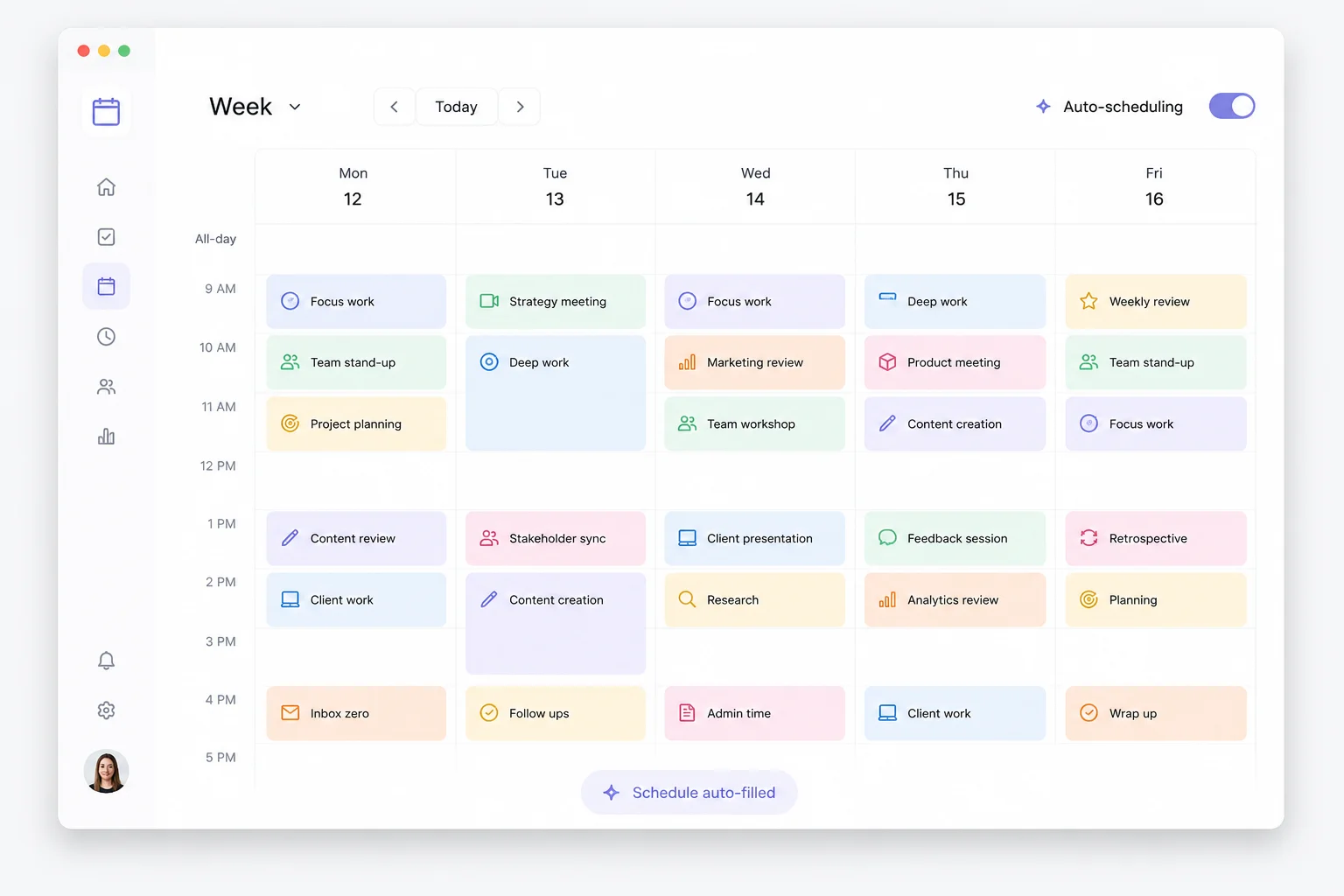
The AI built a tight, color coded schedule. Deep work blocks in the morning. Email and admin batched into a single 30 minute slot. Meetings clustered in the afternoon so my focus time stayed protected. It genuinely looked like the schedule of someone with their life together.
This lines up with what the research shows about how these tools operate. AI schedulers do not just suggest times, they actively manage the calendar, protect focus time, and rebalance the day automatically deciding when you should work on tasks and rearranging your day when plans change.
I followed it almost exactly. It felt great. Almost suspiciously great.
Tuesday: The First Disruption
A client call ran 40 minutes over. In the old version of me, this would have wrecked the rest of my day and I would have spent ten minutes manually shuffling everything around in frustration.
This time, the AI scheduler quietly rebuilt the afternoon. It pushed a non urgent task to Wednesday, shortened my lunch break by 15 minutes, and moved a low priority email batch to the next open slot. No drama, no decision fatigue on my end.
This is the part of AI time management that genuinely surprised me. It is not about perfect plans. It is about reducing the number of small decisions you have to make when reality does not cooperate.
Wednesday: Where It Got Weird
This is the day AI planning showed its limits. The scheduler had blocked off "deep work" for a task I was not remotely in the headspace for. I had told it the task would take two hours, but I had not told it that my brain only works on creative writing in the morning, never at 2pm.
The AI does not know your energy patterns unless you explicitly teach it, and even then, constraint based scheduling has boundaries. Reclaim.ai, for instance, runs on constraint based scheduling algorithms rather than generative AI, meaning it is excellent at defending blocks of time but is not actually reasoning about whether 2pm is when your brain works best on hard problems.
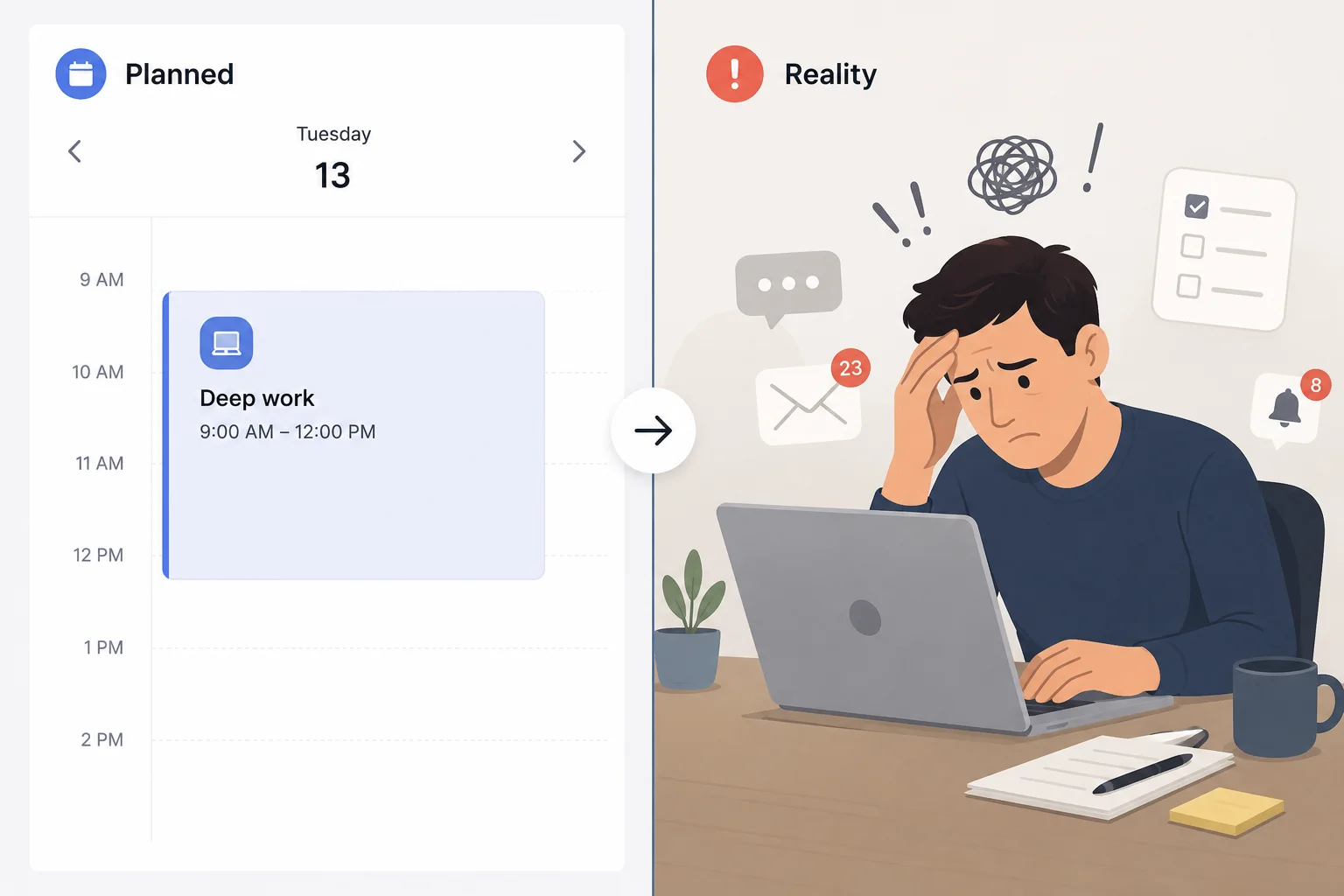
This matches a wider pattern researchers have flagged. A widely cited METR study on developers found that even when AI tools were involved, experienced workers took 19% more time to complete tasks despite believing they were 20% faster. The perception of speed and the reality of speed are not always the same thing, and that gap showed up for me too. I felt productive on Wednesday. My actual output said otherwise.
Thursday: Finding the Rhythm
By Thursday I had learned to treat the AI plan as a draft, not a contract. I started overriding about 20% of the suggested blocks based on how I actually felt that morning, and the tool adapted without complaint.
This is roughly consistent with what reviewers say separates the AI scheduling tools that people actually stick with from the ones they abandon. One detailed Motion vs Reclaim comparison put it this way: Motion is an AI that runs your calendar, Reclaim is an AI that assists your calendar, and that is not a subtle distinction, it shapes the entire experience of using each tool. I had unknowingly been using my tool more like the "assist" model by Thursday, even though it was built for the "run everything" model. That mismatch was the real source of my Wednesday frustration.
Friday: The Wrap Up
By Friday, the AI had reshuffled my week three separate times without me lifting a finger. I finished every task that mattered. I missed two that did not. And for the first time in months, I did not spend Sunday night manually rebuilding next week's calendar because the AI had already started drafting it based on recurring patterns from this week.
What the Data Says About AI Weekly Planning
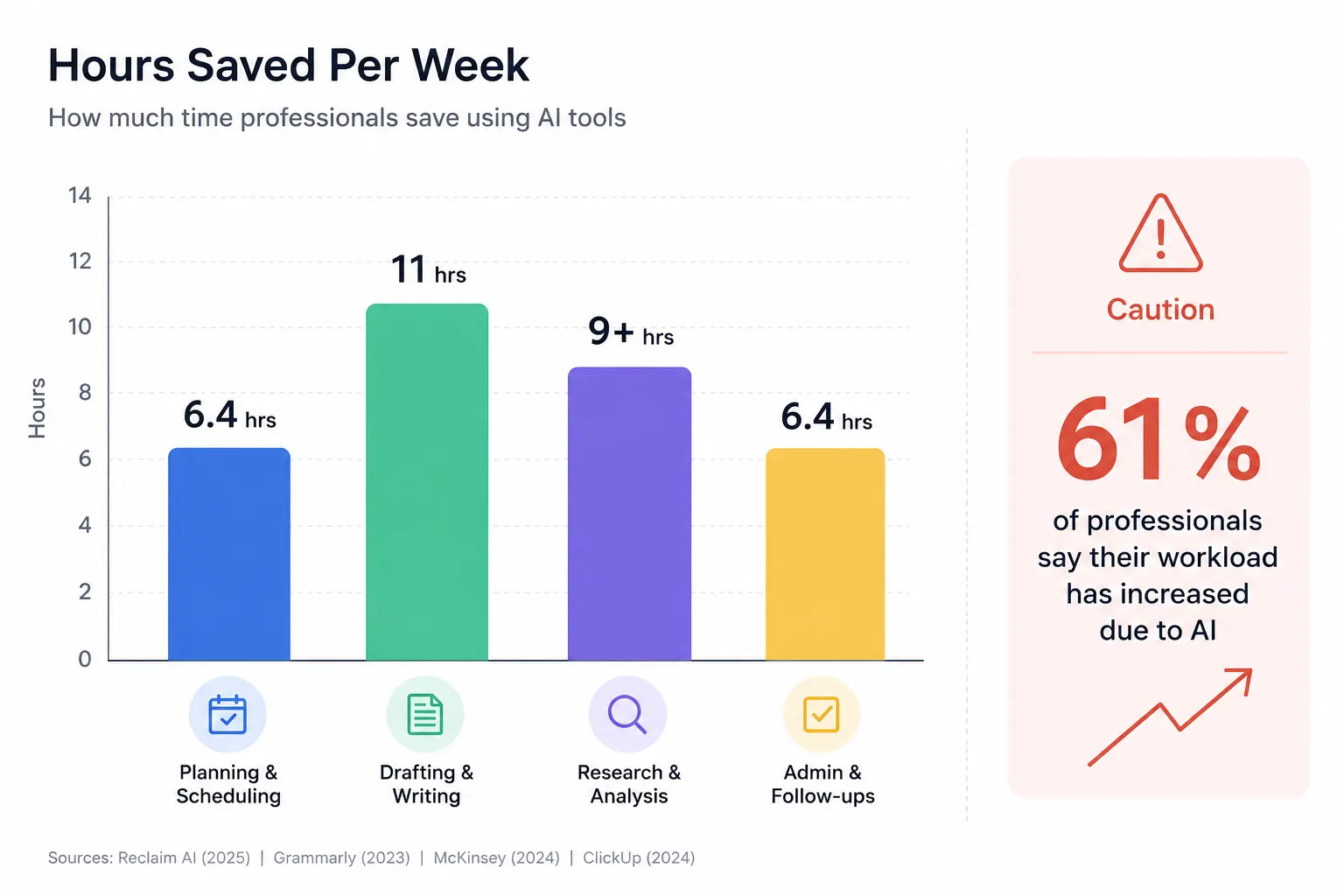
My single week of testing is one data point, so I wanted to check it against the broader research on AI scheduling and productivity tools before drawing conclusions.
Knowledge workers using AI agents in production environments recover a median of 6.4 hours saved per week per seat, with senior practitioners saving 10 to 12 hours weekly, according to combined McKinsey and Slack workforce research.
On the calendar specific side, the average knowledge worker reportedly loses 11 hours per week to inefficient scheduling and meeting coordination before adopting an AI calendar tool.
AI scheduling tools that automatically build your day, rather than just displaying it, have been shown to help users complete 25% more tasks, based on internal data shared by Motion.
Not every metric points up. Among freelancers using generative AI tools broadly, 77% reported it added to their workload rather than reducing it, mainly due to review and validation overhead. AI planning is not free of cost, it shifts the cost from doing the work to checking the work.
That last stat matters more than the highlight reel numbers. AI weekly planning does not eliminate effort, it relocates it. Instead of spending energy deciding what to do next, you spend a smaller amount of energy reviewing and correcting what the AI decided for you.
What I Would Actually Recommend
If you are thinking about trying an AI weekly planner yourself, here is what I would tell a friend, based on both my week and the research above.
Start with the tool that matches your personality, not the one with the most features. If you like control and just want help protecting focus time, something in the Reclaim.ai category that defends existing habits is a gentler entry point. If you want to fully hand off the decision making, an aggressive auto scheduler like Motion is built for that, though reviewers consistently note it can feel chaotic when too many high priority tasks compete for the same slots.
Tell the AI your energy patterns explicitly. Mine did not know I am useless at 2pm until I told it directly. These tools are not reading your mind, they are working from whatever inputs you give them.
Treat the first week as calibration, not a final verdict. My Wednesday frustration was a setup problem, not a tool problem. By Thursday, once I adjusted my expectations and the AI had more data on my actual patterns, things clicked.
Budget time for review. The freelancer data above is a real warning. If you do not spend a few minutes each morning sanity checking the AI generated plan, you risk trading planning time for correction time, which is not actually a win.
Final Verdict: Would I Keep Doing This
Yes, with caveats. The week AI planned for me was not perfect, but it was noticeably less stressful than my normal Sunday night scramble. The biggest shift was not in how much I got done, it was in how few decisions I had to make about what to do next. That mental quiet was worth more to me than the raw hours saved.
If you are curious about which specific tools to try, our AI tools directory has hands on breakdowns of the leading AI scheduling assistants, so you can find the one that fits how you actually work instead of how a product demo says you should work.
Sources referenced in this article include data from McKinsey, the Federal Reserve, Slack Workforce Index, METR, and Upwork Research Institute, as compiled in third party 2026 AI productivity research roundups. Individual results from AI scheduling tools vary based on personal workflow and setup.
Read Also:
AI Is Diagnosing Patients: What Happens When It Gets It Wrong?
When AI Makes a Mistake That Kills Someone, Who Goes to Prison?
AI Agents Are Here: What They Are and Why They Change Everything
Comments (0)
No comments yet. Be the first to share your thoughts!